
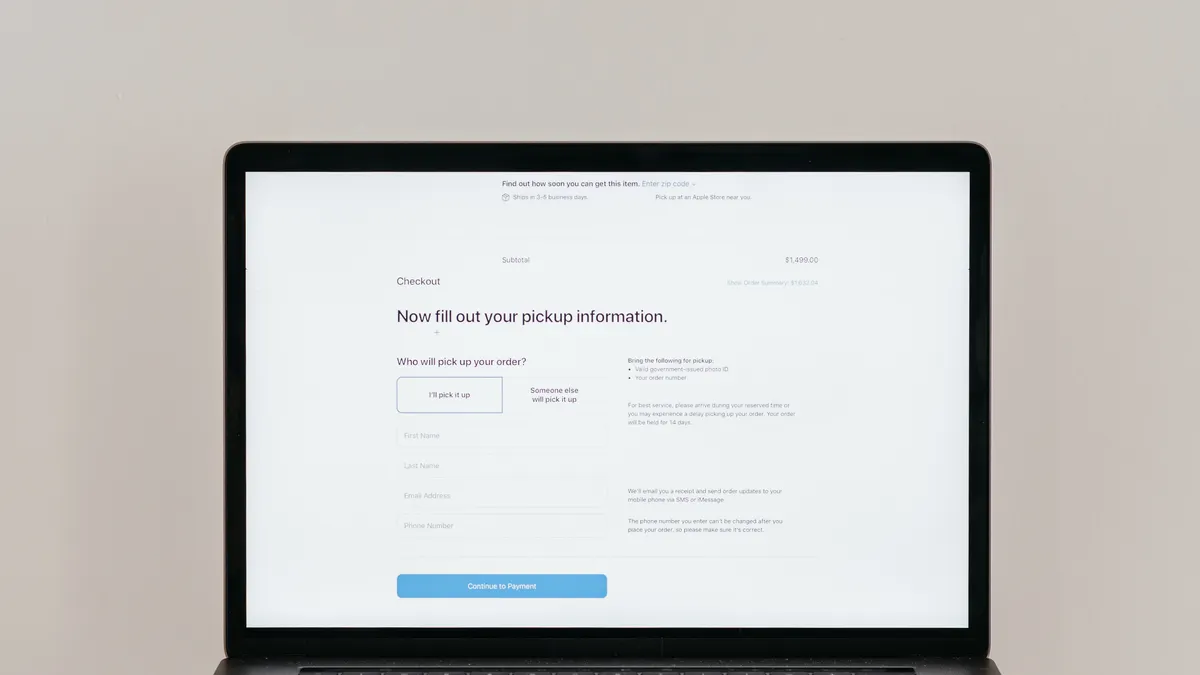
How phone checkout fees, taxes
Last updated: November 29, 2026
Quick answer: the phone checkout fees, taxes, and delivery charges can raise the final checkout total, and the final cart number is the one to verify before you pay. The price you pay is the listed phone price plus any service fees, handling charges, delivery fees, and taxes shown before you confirm the order. For U.S. shoppers, the FTC’s shopping advice and state tax guidance can help explain general billing rules, while the exact charges still depend on country, seller, and order type.
Key takeaways
- The listed price is only part of the bill; checkout is where the real total appears.
- Extra charges often show up as service fees, handling fees, delivery fees, or add-ons.
- A low phone price can still become expensive if the cart adds more than one fee.
- The final cart total is the number to check before you pay.
- If the fee list is unclear, stop before paying and get the breakdown in writing.
Who should care about the checkout total?
Anyone buying a phone online should care about the checkout total, because the cart can add charges that are not visible on the product page. This matters most when the listed price looks close to your budget, since even one extra fee can change the decision.
Therefore, the mobile phone checkout costs on this page are the costs that appear at the end of the purchase flow: checkout fees, taxes, delivery charges, handling fees, and optional add-ons. The page assumes the reader already knows the model they want and is comparing the final amount before paying, not researching phone features. The guide to mobile phone purchase channels also fits this stage, because channel choice often changes which charges appear in the cart.
This page is not for questions about import rules, duties, or customs delays, and it is not the place to compare local shops with online sellers. It is for the last step: reading the cart, spotting extra lines, and understanding why a phone that looked affordable can cost more at checkout. In the U.S., consumer guidance from the Federal Trade Commission’s shopping advice and your local tax authority can help with general rules, but the exact charges still depend on country, seller, and order type.
Why is the final phone price higher than the listed price?
The final phone price is often higher because the listed price usually leaves out at least one checkout charge. A seller may show the device price first, then add delivery, handling, service fees, and taxes only after you enter your address or continue to payment.
This is where many buyers get tripped up. The product page may highlight one amount, but the cart total can include separate lines for shipping, signature delivery, packaging, or a service fee tied to the order. Some sellers fold part of that into the item price; others separate it so the first number looks lower.
However, the change is not always a trick, but it does make comparison harder. A phone priced lower on the shelf or product page can end up costing more than a phone with a higher headline price if the second seller includes fewer fees. The reliable check is the final cart total, not the first price you see.
If the checkout screen hides the fee breakdown until the last step, that is a warning sign for the budget, even when the seller is legitimate. A clear price stack should show the item price, then each extra charge, then the total you will actually pay.
What extra charges appear at phone checkout?
The extra charges at phone checkout are usually service fees, handling fees, delivery charges, and tax lines, plus any optional add-ons you choose. Those are the four most common places where the price changes between the product page and the payment screen.
A service fee is a charge for processing the order or providing the sale through a platform. A handling fee usually covers packing or warehouse work. Delivery charges pay for transport, and they may change by speed, carrier, or signature requirement. Some sellers also add checkout add-ons such as insurance, accessories, or faster shipping, which can raise the bill fast.
For example, a simple way to think about the stack is this:
| Charge type | What it usually covers | What to check |
|---|---|---|
| Service fee | Order processing or platform cost | Whether it is required or optional |
| Handling fee | Packing or warehouse work | Whether it appears on every order |
| Delivery charge | Shipping the phone to you | Speed, carrier, and signature rules |
| Checkout add-on | Insurance or extras | Whether the box is already checked |
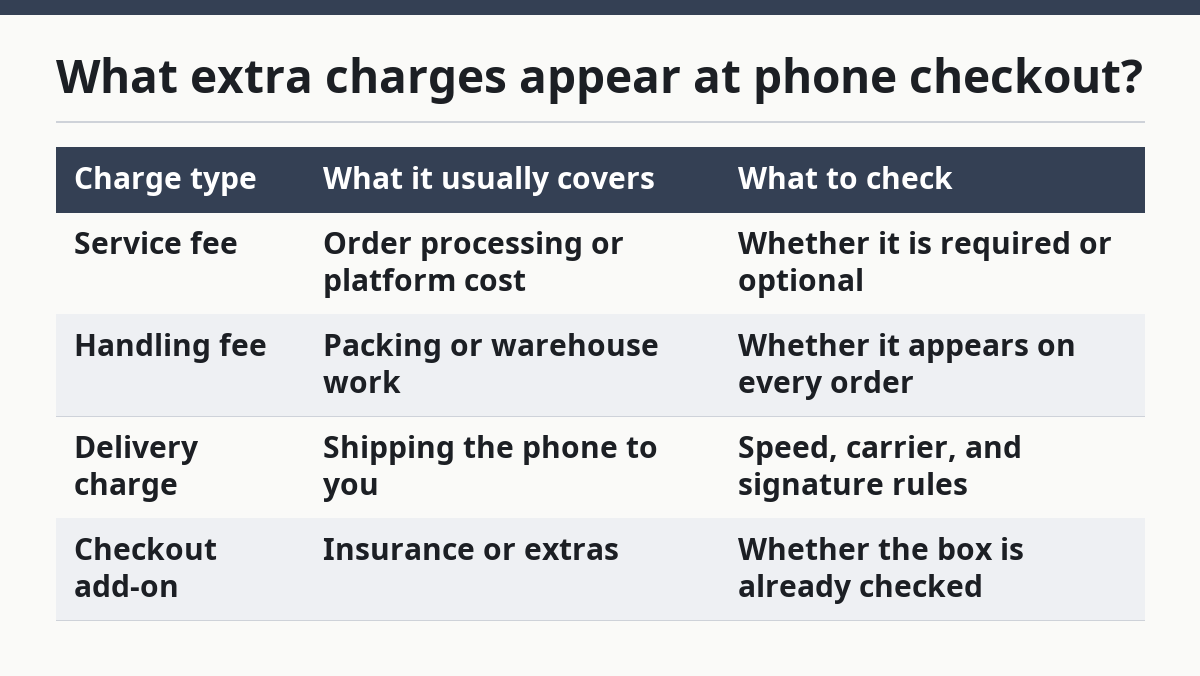
That table matters because not every extra line has the same meaning. A delivery charge is not the same as a handling fee, and an optional add-on is not the same as a required fee. If the cart does not label the charge clearly, consult the seller’s support or a qualified adviser if the amount affects your budget, and ask for the explanation in writing before paying.
How do I check the final cart total before paying?
The final cart total is the number to verify before you pay, and the safest way to check it is to read the order screen line by line. The process is simple, but it works only if you slow down for the last 30 seconds before payment.
- Start with the item price. Confirm the phone model, storage size, and colour before you look at fees. If the base model changes, the cart can shift by a different amount and the checkout breakdown no longer means the same thing.
- Open the full order summary. Look for every line item, not just the subtotal. If the page shows only one total and no breakdown, that is a problem because you cannot see which charge changed the amount.
- Check delivery charges separately. Look for standard delivery, express delivery, and any signature requirement. If the delivery line changes after you enter your address, that is normal; if it appears without explanation, stop and review the order.
- Check handling or service fees. Read whether the seller names the fee as mandatory or optional. If a fee has no short explanation, it is hard to tell whether it is part of the sale or a checkout add-on.
- Check the tax line before you pay. Taxes can appear as a separate line or be built into the total, depending on where you are buying. If the tax amount appears to jump after you enter a new address, that means the cart is recalculating for location.
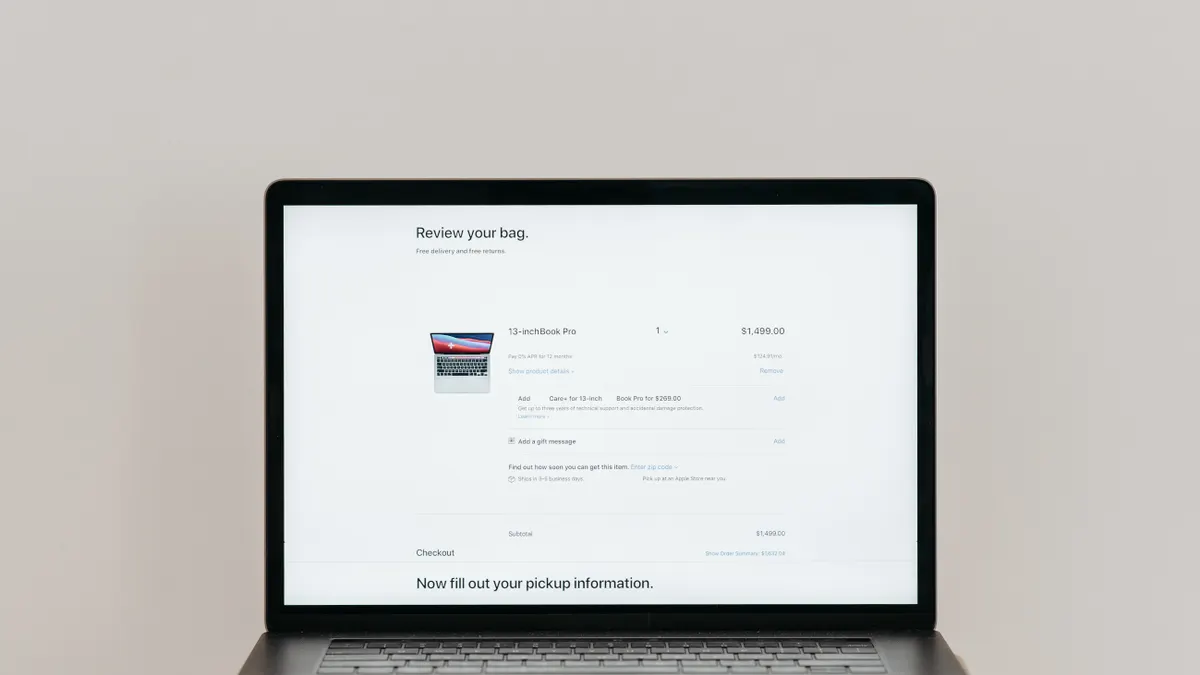
- Review any added extras. Uncheck insurance, accessories, or faster shipping if you do not want them. If the cart keeps the box selected by default and the total rises, that is a sign to slow down and read each checkbox.
- Compare the subtotal and final total side by side. The difference between those two numbers shows the real cost of checkout. If the gap is larger than expected and no clear fee line explains it, do not assume the total is right.
- Save or screenshot the breakdown. Keep the order summary before paying so you can match it later with the confirmation email. If the confirmation total differs from the cart total, you will want proof of what was shown first.
A clean checkout screen should make the final amount easy to read in under a minute. If it takes more than one screen, two hidden clicks, or a last-second surprise, the process is not clear enough for a careful purchase. The FTC’s online shopping advice is a useful reference point for reviewing the final order.
Which fees should I watch for before paying for a phone?
The fees to watch for before paying for a phone are the ones that can change the total without changing the phone itself. In practice, that means service fees, handling charges, delivery charges, and any add-on that is already ticked.
The biggest mistake is paying attention only to the headline discount. A lower sticker price can be offset by a higher delivery charge or a fee that appears near the end of checkout. Another common issue is a seller that uses vague labels, such as a “processing” fee, without saying what it covers.
Specifically, watch for changes that happen after you enter your address, because that often means the seller is recalculating delivery or tax. Watch for a fee that appears only on one checkout step, because that often means the seller wants you to notice the low early total instead of the full cost. Watch for preselected add-ons, because a single checked box can raise the bill without changing the phone.
If the order page does not separate the fee into a named line, ask yourself whether you can defend the amount later. Clear labels matter more than a low first number. A good purchase decision depends on knowing the cart total before the final click.
When should I stop and check again?
You should stop and check again when the checkout screen hides the cost, changes the price late, or adds a charge you did not expect. These are the situations where the standard “just pay if the total looks fine” approach stops being useful.
The fee list is vague: If a charge is called “processing” or “service” without explanation, the final price is harder to verify — pause and read the full breakdown before paying.
The total changes after you enter your address: If the cart rises once the seller knows your location, the order is being recalculated — compare the new total with the earlier one before you continue.
An add-on is preselected: If insurance, accessories, or faster delivery is already checked, the amount can rise without a clear choice — uncheck it unless you want it.
The checkout only shows one lump sum: If you cannot see item price, delivery charge, and tax separately, the final cost is harder to audit — stop and look for the full summary or another seller.
The confirmation email does not match the cart: If the charged total is different from what you saw before payment, the order record matters — save screenshots and contact the seller promptly.
A careful buyer does not need to accept every cart as written. If the fee stack is opaque, the safer move is to slow down, compare the breakdown, and decide only after the total is clear. For billing disputes, the FTC’s complaint page and your card issuer’s procedures can also help if a charge appears wrong.
What mistakes make the total go up?
The most common mistakes are ignoring the last screen, trusting the headline price, and missing add-ons that are already selected. Each one raises the final bill in a different way, and each one is avoidable with one extra look.
Therefore, people stop at the product page and never read the checkout screen. That leads to surprises from service fees or delivery charges. The correct alternative is to check the order summary before payment, not after.
Second, people compare only the item price and ignore shipping or handling. That can make a lower-priced phone look cheaper when it is not. The correct alternative is to compare the final cart total, because that is the amount that leaves the account.
Next, people click through a fast checkout and miss a preselected box. That can add insurance or another extra without a real choice. The correct alternative is to review every checkbox and line item before pressing pay.
Then, people assume all taxes or fees are the same everywhere. They are not, and rates, limits, and rules differ by country and can change often. The correct alternative is to treat the checkout screen as the source of truth for that order and, if needed, check the seller’s policy or a qualified adviser for your situation.
Finally, people fail to save the total before payment. That makes it harder to challenge an error later. The correct alternative is to keep a screenshot or order copy with the date, total, and fee lines.
How does a good checkout look?
A good checkout looks clear, itemised, and finished in a few screens, not hidden behind guesswork. You should be able to see the phone price, the delivery charge, any service or handling fee, and the final cart total in one readable summary.
For example, a sensible checkout also explains why the total changed. If your address changes the delivery fee, the cart should show that. If a tax line appears, the cart should name it. If an add-on raises the total, the checkbox should be easy to spot and easy to remove.
Overall, the best sign is not a low price; it is a clear price. If the seller makes the last step easy to read, you can decide faster and with less risk of paying for something you did not intend to add. If it takes more than a minute to understand the final number, the checkout is already asking too much of the buyer.
Drafted with AI; not yet reviewed by a person.