
Mobile Phone Software and Update Support: The Complete Guide
Last updated: November 18, 2026
Quick answer: for Mobile Phone Software and Update Support — The Complete Guide, the practical baseline is to check for three things before you buy: OS upgrades, security patches, and a published support policy you can verify. The safest choice is usually the phone with the clearest support window, especially if you plan to keep it for 2 to 3 years or longer.
Mobile Phone Software and Update Support — The Complete Guide is about how long a phone stays useful, secure, and compatible after launch. I write about phone software support, security patches, and platform policies, so the useful question here is not “which phone feels fast today?” but “which phone will still be safe, compatible, and worth keeping after the next few versions of iOS or Android?”
Key takeaways
- Update support is about two things: new features from OS upgrades and risk reduction from security patches.
- A phone can still feel fast and still be a bad buy if the maker stops supporting it soon.
- Apple’s iPhone line is usually simpler to judge because support is centralized; Android is more uneven because support depends on the maker and the model.
- The better choice for many buyers is the phone with the clearest support policy, not necessarily the highest peak speed.
- A cheap phone with short support can cost more in the long run if it ages out before the battery does.
What does mobile phone software support actually mean?
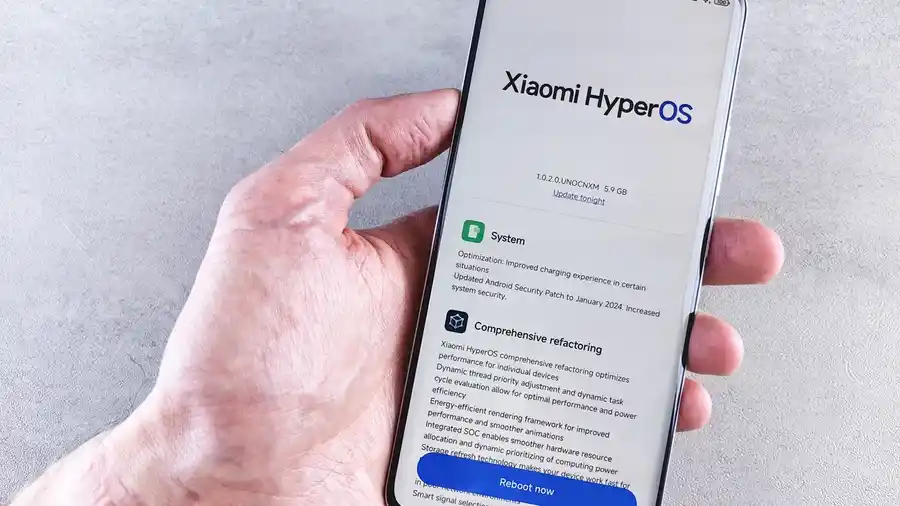
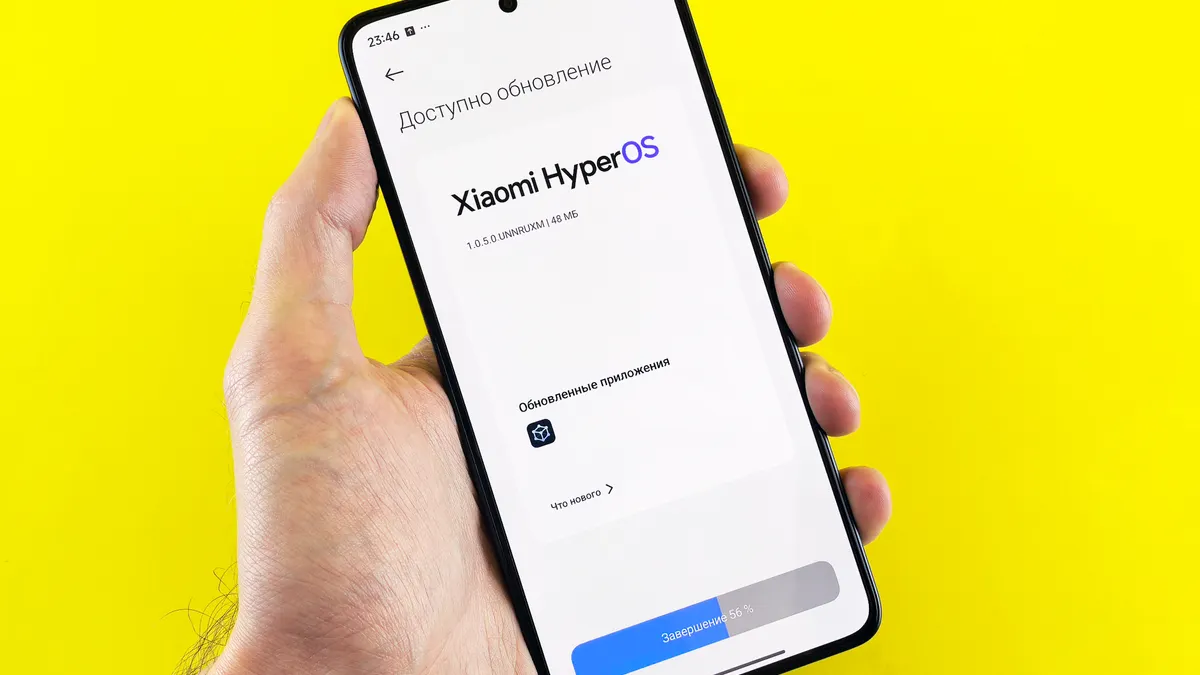
Mobile phone software support means the maker keeps the phone receiving operating system updates, security fixes, and sometimes app-compatibility patches after launch. That usually covers three layers: the core OS, security patches, and app-store or service updates tied to the phone’s software version.
The core OS is the big one. On iPhone, that means iOS; on most other phones, that means Android plus the maker’s own software layer. A phone can get a new design, new privacy controls, and new app permissions in an OS update, while a security patch may only close holes without changing much you see.
This is where many generic guides go wrong: they treat “update support” as one thing, when it is more useful to separate OS upgrades from security patches. In practice, and as Apple’s security release pages show, a phone can still receive security fixes after it stops getting major feature upgrades, but readers should consult the maker’s policy or a qualified professional if they are buying for work, finance, or other sensitive use. That distinction matters because a secure, stable phone is easier to keep for a longer stretch.
A simple rule helps: if a phone’s maker does not clearly say how long it supports the device, assume the support window is shorter than you want. That matters most for budget phones and older flagship models, especially if you plan to keep the phone beyond the first 24 months.
- Check whether the model gets OS upgrades, security patches, or both.
- Look for a published end-of-support date when the maker provides one.
- Confirm that the policy applies to the exact model, not just the brand.
Why should update support affect what I buy?
Update support should affect what you buy because it changes how long the phone stays safe, compatible, and easy to use. A phone with a weak support policy can become a problem before the battery wears out or the storage fills up.
Security is the most obvious reason. Modern phones hold bank apps, photo backups, work email, payment cards, and two-factor codes. If a device stops getting security patches, the risk does not vanish at once, but the device loses the regular fixes that close known holes. That is why support should be part of the purchase decision, not a detail you check later.
Compatibility is the second reason. App developers keep moving with newer iOS and Android versions. A phone that misses major updates long enough may still turn on and work, yet some apps will slowly demand newer software. That can show up in a small way first, like a banking app warning, and later as a hard block.
There is also resale value. A phone with longer support usually holds more buyer trust on the used market. A model with a clear support window is easier to sell because the next owner knows the device will not be abandoned next month. That is one reason many buyers now pay attention to support policies as much as camera hardware or chipset names.
The trade-off is often this: longer support can come with a higher upfront price, and that is not always worth it if you replace phones every year. If you upgrade often, you can care less about the tail end of support. If you keep phones for 3 or more years, support matters a lot more.
- Longer support can protect resale value.
- Longer support can reduce app compatibility risk.
- Longer support can justify a higher purchase price for frequent upgraders only if the cycle is short.
iPhone or Android: which side handles support better?
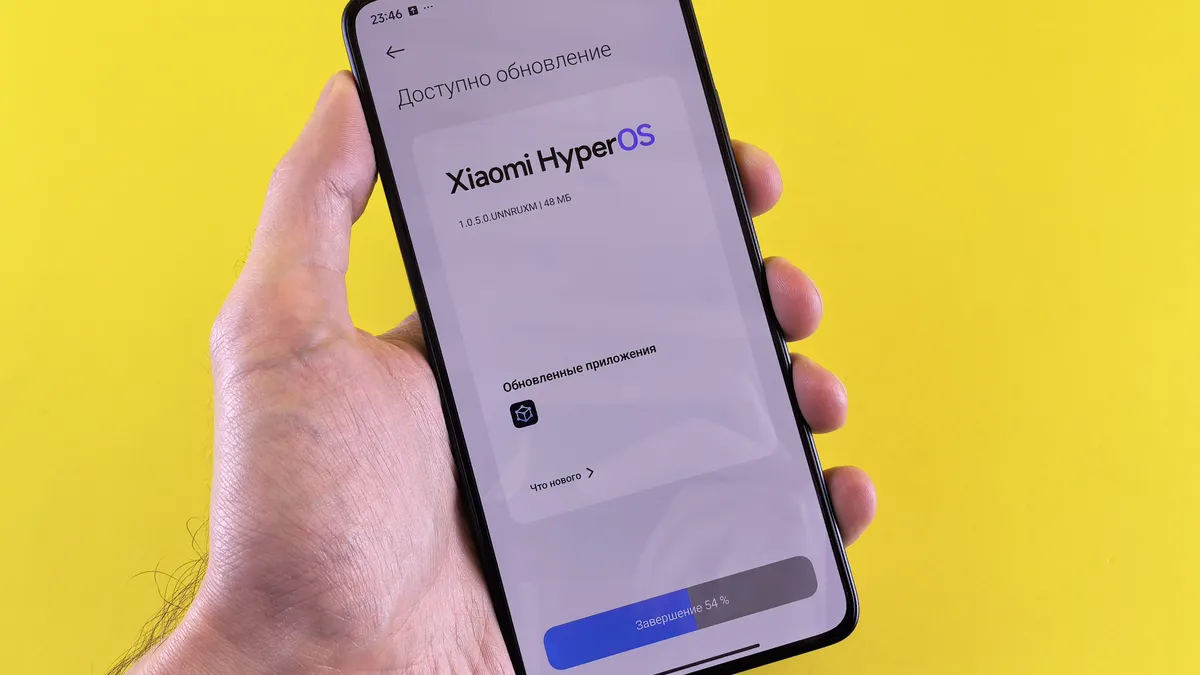
iPhone usually wins for simplicity, while Android wins for choice, and that is the core trade-off. Apple controls the hardware and the software together, so support is easier to understand and easier to compare across models. Android support depends on the brand, the chipset, and the phone tier, which makes the market less predictable.
That does not mean every iPhone gets better support than every Android phone in every case. It means the iPhone buyer usually has a clearer policy to evaluate, while the Android buyer must check the specific model and the maker’s support promise. A Pixel phone, a Samsung Galaxy S series phone, and a low-cost Android phone do not age the same way.
Here is the practical comparison.
| Criteria | iPhone | Android | Winner for this condition |
|---|---|---|---|
| Support policy clarity | Centralized and easier to verify on Apple’s support pages | Varies by maker and model | iPhone, when you want a simpler decision |
| Major OS upgrades | Usually consistent across many supported models | Depends on the brand’s policy and chipset | iPhone, for predictability |
| Security patch timing | Regular release cycle, but still tied to Apple’s schedule | Can be fast on top models, slower on budget phones | Android, if the specific maker is known for fast patches |
| Choice of price points | Fewer models, mostly premium or upper midrange | Broad spread from budget to flagship | Android, for more budget options |
| Long-term planning | Easier to buy with confidence if you keep phones for years | Depends heavily on choosing the right brand | iPhone, for low-effort planning |
| Risk of short support | Lower, because support is more standardized | Higher on cheaper models and off-brand devices | iPhone, for cautious buyers |
| Hardware and software mix | Tighter integration | More variation between makers | iPhone, if you want fewer surprises |
| Repair and replacement planning | Often easier to judge by model age and support status | Must check the brand’s policy first | Tie, if you keep records of the exact model |
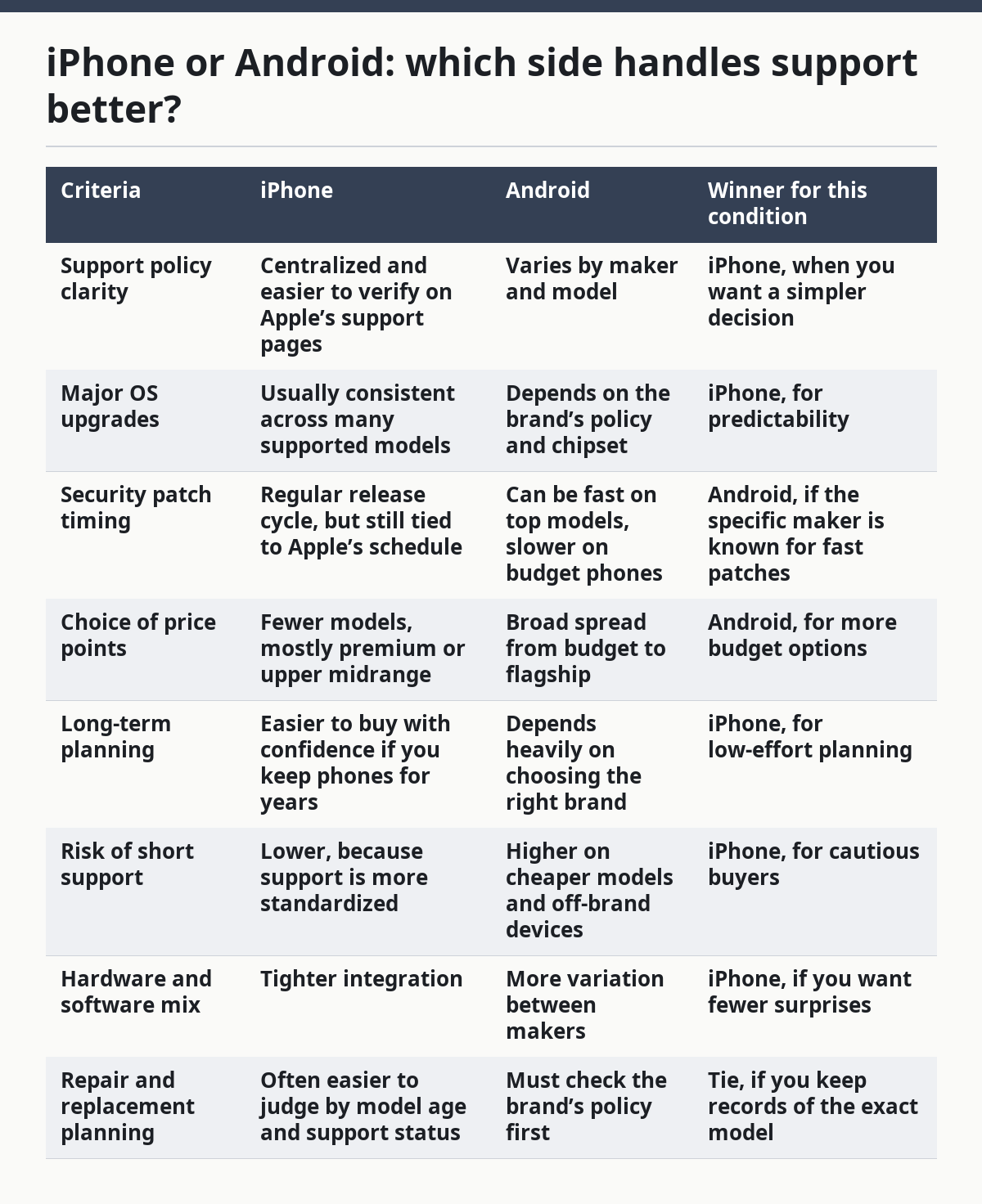
The honest answer is that iPhone is often the safer default for most people who do not want to study every model policy. Android is better when the buyer wants a wider range of prices or software styles and is willing to check support carefully. A phone like a current Pixel or Samsung flagship may be a strong buy; a random budget Android phone from a less transparent maker may not be.
The obvious weakness on the iPhone side is price and model choice. The weakness on the Android side is inconsistency. If you want the cleanest support story, iPhone is easier. If you want more hardware variety and are willing to do the homework, Android gives you more room to choose.
How do I check a phone’s update promise before I buy?
I would check the exact model name, the maker’s support page, and the type of updates promised before buying any phone. The model name matters because support can differ even inside one brand’s lineup, such as a Galaxy A series phone versus a Galaxy S series phone, or an iPhone SE versus a newer Pro model.
Start with the maker’s own support language. Look for the terms “OS upgrades,” “security updates,” and any end-of-support language tied to the exact model. If the page only says “regular updates” without a time frame, that is vague. If the maker publishes a policy, that is better because it gives you a line you can check again later.
Then look for the last supported OS version and the date of the latest security patch on the device you are considering. A phone that still receives patches in the current year is in a very different position from one whose last update was only feature-heavy but old. Apple’s security releases and Google’s Android Security Bulletin are useful because they show the kind of update trail a careful buyer should want to see.
This is also where many generic buying guides leave out the hardest part: the listing may not say whether the phone will get major OS upgrades or only security fixes. That omission is not minor. If you care about using the phone for 3 years or more, a missing support promise is a red flag, not a neutral gap.
There is one more detail: carrier variants can be slower than opened models in some markets, because updates may pass through extra approval steps. If you are comparing two versions of the same phone, check the exact model code, not just the name on the box.
- Verify the exact model code.
- Check whether the policy includes both OS upgrades and security patches.
- Confirm the latest patch date before you buy used or refurbished.
What breaks first when support ends?
Security patches usually stop first, then major OS upgrades stop later, and app compatibility becomes the slow-moving problem after that. The phone may still boot, charge, and make calls, but the software will age around it.
The first visible change is often privacy and security drift. A supported device keeps getting fixes for bugs that attackers can use. An unsupported one stays usable, but it no longer gets the steady stream of corrections. That is the part most readers underestimate because the phone does not suddenly “die.”
Since newer app versions depend on newer operating systems, the next problem is app support. Banking apps, payment tools, enterprise email, and some media apps can raise minimum OS requirements over time. If your phone stops one version short, the app may still work for a while, then refuse to open after an update on the app side.
There is also a device-management issue for work phones. In some managed environments, a company may require a minimum OS version for enrollment or secure access, and readers who are buying for work should confirm that requirement with their IT team or a qualified administrator. If the phone is too old, it may fall out of policy even if it still functions fine for personal use. That is one reason businesses often replace phones sooner than individual buyers do. Microsoft documents these kinds of minimum-version controls in its managed-device guidance, including Intune device management.
The broad lesson is that support ending is not one event. It is a slow squeeze: fewer patches, fewer features, then more app friction. If you keep phones until the battery fades, long support matters more than a glossy launch-year spec sheet.
Which phone type is best for different buyers?
The best phone type depends on how long you keep it and how much risk you want to manage. For a buyer who wants the least guesswork, iPhone is the easiest fit. For a buyer who wants more price spread and is ready to check the model policy, Android can be the better fit.
If you replace phones every 12 to 18 months, support length matters less than for someone who keeps a phone 3 years or longer. In that short cycle, you may care more about camera quality, screen size, or storage than the tail end of support. That said, even a short-term buyer should avoid a model that is already close to the end of its software life.
If you buy for a child, parent, or less technical user, the safer choice is the one with the clearest update promise and the fewest settings to maintain. A phone that gets regular patches without much effort is easier to keep secure. In that setting, I would avoid obscure Android models with weak documentation, even if the upfront deal looks attractive.
If you buy used or refurbished, support matters even more because the phone has already spent part of its life cycle. A used iPhone or a long-supported flagship Android model is usually easier to justify than a used budget phone near the end of support. That one detail can change the real value of the purchase more than the sticker price.
If you want the shortest version of the recommendation: buy the model with the longest clear support window you can comfortably afford, and do not let a lower first price hide a shorter usable life.
- Short upgrade cycles can favor price over long support.
- Family and work phones benefit from the clearest policy.
- Used phones should be judged by remaining support, not just condition.
When should you ignore update support and look at something else?
You should ignore update support as the main filter only in a few narrow cases. The first is when the phone is a temporary device, such as a backup line or a short-term work phone that will be replaced soon. In that case, a 12-month planning horizon may matter more than a long support runway.
The second case is when the phone is already old enough that support is not the main issue. If a device is cheap because it is last year’s model but still clearly supported, that can be fine. If it is cheap because it is about to fall out of support, the low price is a trap.
The third case is when the software platform is not the buyer’s main concern. Some users need only basic calling, messaging, maps, and a few core apps. Even then, I would not dismiss support entirely, because security updates still matter. I would only say it should not outrank battery life, size, or accessibility features.
The fourth case is when a phone is locked into a tightly controlled environment, such as a company-managed fleet or a school-issued device. In that setting, the organization may decide the acceptable update window. The end user still feels the impact, but the buying logic changes because the policy is set elsewhere.
The hard truth is that short support is acceptable only when the phone’s job is short. If the phone is your main device and you keep it for years, support is not a side note. It is part of the product.
What are the exceptions where the usual advice flips?
The usual advice flips when the specific Android model has a stronger support policy than the iPhone you are considering. That can happen with a newer flagship Android phone from a maker that publishes a long support commitment, especially if the iPhone model is already older or closer to the end of support. In that case, model age matters more than brand label.
The advice also flips when price sets the real limit. If the only iPhone in reach is too old to make sense, a newer Android phone with a clear support policy may be the smarter buy. A budget phone that will receive current patches for longer is better than a premium badge with a thin support tail.
A third flip appears if the buyer cares about customization, file handling, or brand-specific tools, and that requirement should be weighed alongside update support rather than after it. Some Android buyers need that flexibility badly enough that iPhone is the wrong tool even if support is simpler. In that case, the better choice is not “the most supported phone” in the abstract, but the best supported Android phone that still fits the workflow.
The final flip is for people who replace phones very quickly, usually before a full software cycle matters. If the phone will be sold or swapped soon, support length loses some of its weight. Even then, I would still avoid a model with a visibly weak or unclear policy because resale value can soften fast when buyers know support is short.
What should I check on the box, listing, or support page?
You should check the exact model name, the promised update policy, and the latest supported software version on the support page. Those three items tell you more than processor branding or camera count alone.
The model name matters because one brand can sell several phones with very different software lives. A Galaxy S model and a Galaxy A model are not the same purchase, even if they look close in photos. The same is true for an iPhone SE and a higher-end iPhone model.
The update policy should say whether you get major OS upgrades, security patches, or both. If the listing does not say, look on the maker’s support site. A vague promise is not enough when you are deciding between a device you may keep for several years and one you may replace in 12 months.
The software version matters because app support follows it. A phone that ships on an older version is already behind on day one, and that gap can matter faster than buyers expect. The newest phone is not always the best buy, but the oldest supported version is rarely the safest one.
One final check is repair and battery planning. Software support lasts on paper, but battery wear changes daily use. If the phone is supported for years yet the battery is already weak, the real-life value may still be poor. A good update policy does not fix a tired battery.
- Check the exact model name and version.
- Confirm the support policy in writing when possible.
- Match software life to battery life and intended ownership length.
How long should a phone get updates?
A phone should get updates long enough to outlast the battery and still stay secure for the years you plan to keep it. The exact number depends on the model and maker, so I would check the support policy before buying rather than assume all phones in the same brand are equal.
Are security updates more important than new features?
Yes, security updates matter more than new features if you keep personal data on the phone. New features are nice, but security fixes protect banking apps, email, and private photos, which is the more urgent job for most buyers. That is especially true on a phone you keep for 2 or more years.
Is an older iPhone better supported than a cheap new Android phone?
Often yes, but not always, and the exact model matters more than the badge. A newer Android phone from a maker with a published support policy can beat an older iPhone that is already near the end of its life cycle. Check the model age and support page before you decide.
Should I buy a phone with no clear update policy?
I would avoid that unless the phone is only a short-term stopgap. No clear policy usually means you are taking on more risk for security, app compatibility, and resale value. A phone can look like a bargain and still cost more if it ages out quickly.
Do used phones make update support less important?
No, used phones make it more important because part of the support life has already been used up. A used model with a clear support window is safer than a used phone whose software future is unclear. That is one reason model age should matter as much as condition.
Drafted with AI; not yet reviewed by a person.