
How to Read Mobile Phone Shipping Estimates
Last updated: November 19, 2026
Quick Answer: a mobile phone shipping estimate is usually most useful when you compare the checkout line, the processing time, and the delivery window; in many cases, the checkout estimate is the one to trust most. Mobile phone shipping estimate is the topic here, and it can show a delivery window, a dispatch date, or a processing time that is not the same thing as the day the phone reaches your door.
Read the checkout estimate, not just the product page date.
The steps below show how to tell when a phone will likely ship, when it may arrive, and which line on the page matters most.
Our Top 3 Picks at a Glance
Not applicable here, because this page is a how-to guide, not a product comparison.
What a mobile phone shipping estimate is actually telling you
A mobile phone shipping estimate tells you when the seller expects the phone to leave the warehouse, move through shipping, or arrive—not all three at once. The useful detail is the label beside the date: processing time, dispatch date, or estimated arrival.
Picture this: you’re staring at a phone listing that says “Ships in 7–10 business days,” then checkout shows delivery next Tuesday. Those are not the same promise, and the checkout line usually matters more because it reflects your address and shipping method. That is where the real estimate starts.
- Processing time = how long before the seller hands the phone to the carrier.
- Dispatch date = the day the seller plans to ship it.
- Delivery window = the range the carrier expects it to arrive.
- Estimated arrival = the end result the store wants you to believe.
The truth is, product pages often simplify the timeline. A “ships by Friday” note may hide a 2-day processing step, while checkout may show a 3–5 business day delivery window that depends on your ZIP code. If you only read the product page, you can miss the part that changes your wait the most.
- The estimate can be about shipping out, not getting delivered.
- Checkout usually gives a better date than the product page.
- The label matters as much as the date.
- A 3-day delivery window and a 3-day processing time are very different waits.
How to read the shipping estimate line by line
A mobile phone shipping estimate makes sense once you separate the calendar parts from the carrier parts. Read the line from left to right, and treat every word as a timing clue; if the wording is unclear, check the seller’s help page or ask customer support before you buy, because consumer-protection guidance from the FTC and seller policies can matter when a date changes.
Picture this: you’re on a phone checkout page with one small line and three dates hidden inside it. You do not need to guess. You need to identify which date is tied to the seller, which one is tied to the carrier, and which one is tied to your address.
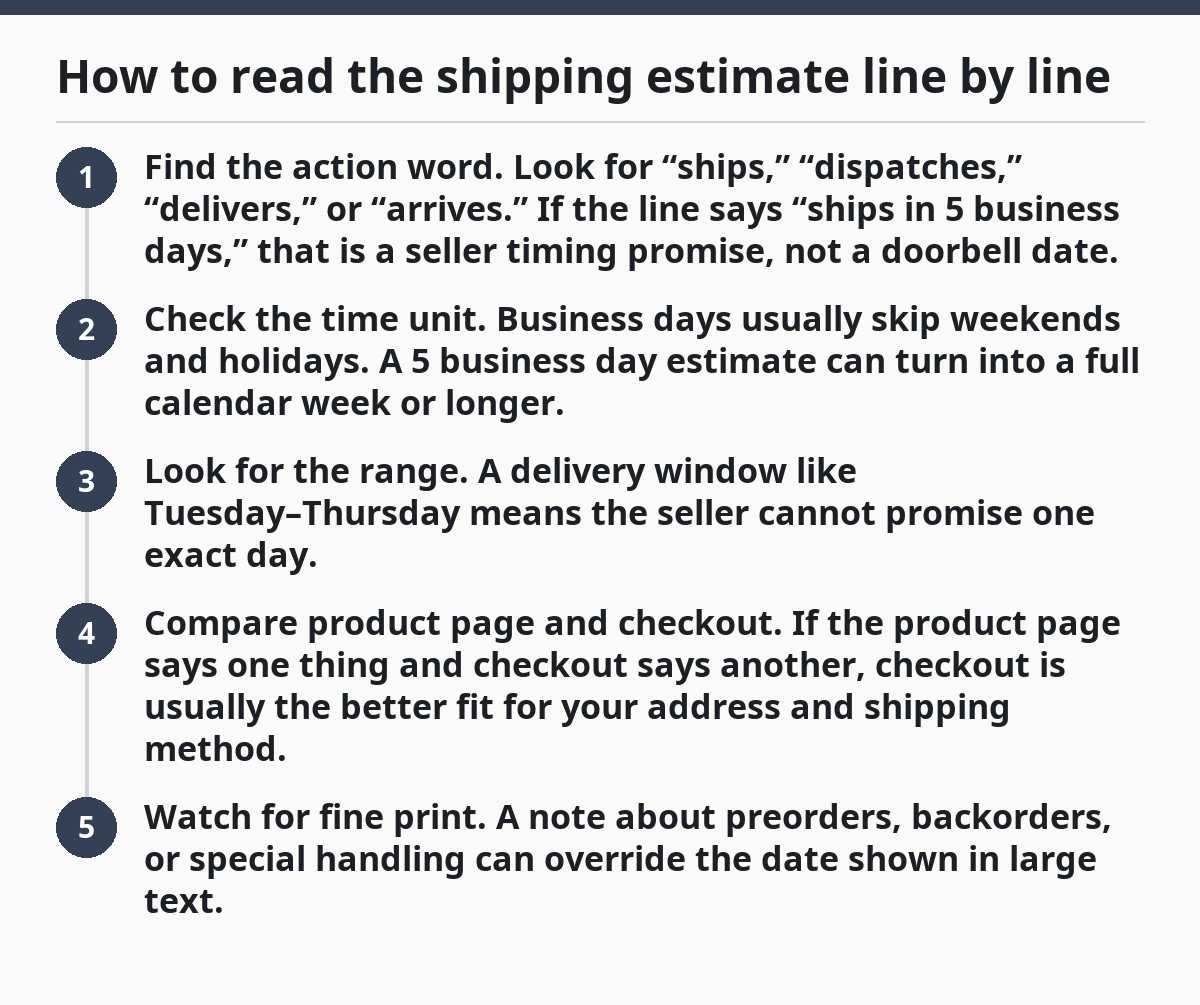
- Find the action word. Look for “ships,” “dispatches,” “delivers,” or “arrives.” If the line says “ships in 5 business days,” that is a seller timing promise, not a doorbell date.
- Check the time unit. Business days usually skip weekends and holidays. A 5 business day estimate can turn into a full calendar week or longer.
- Look for the range. A delivery window like Tuesday–Thursday means the seller cannot promise one exact day.
- Compare product page and checkout. If the product page says one thing and checkout says another, checkout is usually the better fit for your address and shipping method.
- Watch for fine print. A note about preorders, backorders, or special handling can override the date shown in large text.
Here’s the point: the most confident-looking number is not always the most useful one. A bold “Estimated delivery: June 14” can still sit under a note that says processing takes 48 hours, which means the phone may not leave the warehouse until after that date has already started to slip.
A simple rule helps here. If the line names a processing time, add that delay before you judge the delivery window. If it names a dispatch date, that date is only the handoff point. If it names an estimated arrival, check whether that estimate uses your postal code and chosen shipping method.
Why product-page dates and checkout dates do not match
Product-page dates and checkout dates differ because the store often knows more about your order after you enter your address. The checkout estimate can reflect a different ZIP code, a faster shipping method, or a regional warehouse that the product page cannot see.
Picture this: you’re halfway through buying a phone and the date changes by three days the moment you type in your address. That is not always a bug. It can mean the store moved from a generic nationwide guess to a local estimate.
- Product-page date: a broad estimate for many shoppers.
- Checkout date: a more tailored estimate for your location.
- Shipping method: standard, expedited, or next-day service.
- Carrier cut-off: the time of day the order must be placed to ship same day.
A date that changes at checkout can be useful, not annoying. It usually means the store is using a more exact rule set. A phone shipping estimate for New York City may differ from one for rural Montana, even when the same phone sits on the same product page.
A smaller difference can come from stock handling and packing rules. Some sellers show a phone as available before it is packed and labeled. Others hold the order for a 24-hour or 48-hour processing period before the carrier scan appears. That is why “arrives Friday” can become “ships Friday” once you move from product page to checkout.
This is also where the shipping method matters. A standard service may show a 3–7 business day window, while a paid upgrade may cut that down. If the checkout page gives you more than one option, read the estimate next to each one. The cheapest line is not always the fastest, and the fastest line is not always the one the store can keep.
The 5-step method for checking a phone estimate before you buy
A mobile phone shipping estimate is easiest to judge if you check it in the same order every time. Follow the steps below, and you will know whether the date is a real buying clue or just marketing text.
Picture this: you’re ready to order, but you want the delivery date to fit a trip, a gift deadline, or a phone switch on a weekend. This is the point where a 2-day gap matters. The method below turns the estimate into something you can actually use.
- Open the product page and find the shipping line. Look for words like “ships by,” “estimated delivery,” or “processing time.” If the phone is still in preorder form, that line may show a release-related date instead of a shipping date.
- Check whether the date is a range or a single day. A range like “June 10–12” gives the seller room to move. A single date sounds firmer, but it may still shift once checkout starts.
- Enter your ZIP code or delivery address. This usually changes the estimate because the carrier route and warehouse location now matter. A phone headed to a nearby zone may show a shorter window than one shipping cross-country.
- Compare standard and faster shipping methods. If standard shipping shows 5 business days and expedited shipping shows 2 business days, note both. The gap tells you how much the shipping method changes the wait.
- Read the final checkout estimate before paying. This is the line that matters most. If the date is still acceptable, you have the best picture the store is willing to give you.
The truth is, this method catches most surprises. A phone listing may look ready to ship, but checkout can reveal a 48-hour processing delay, a weekend cutoff, or a different carrier service. That is the estimate you should trust first.
One more check helps when the date matters a lot. If the store shows release day, dispatch date, and delivery window in different places, use the latest step in the chain as your anchor. Delivery depends on every earlier step finishing on time. If one step is vague, the whole estimate gets softer.
Which shipping details matter more than the big delivery date?
The most useful shipping details are the processing time, dispatch date, and shipping method, because they explain why the date may move by 1 to 5 days or more. A big delivery date is only as good as the small print under it.
Picture this: you’re comparing two phone listings that both say “arrives next week.” One has a 2-day processing time and standard shipping; the other has a 48-hour hold and no clear carrier. Those are not equal offers, even if the headline looks the same.
The details that matter most are:
- Processing time — tells you when the seller starts moving.
- Dispatch date — tells you when the carrier scan may begin.
- Shipping method — tells you how fast the carrier will move after handoff.
- Estimated arrival — tells you the seller’s best guess for the doorstep date.
A common mistake is reading only the bold date and ignoring the route behind it. A next-day estimate means little if the order still needs 2 business days of internal handling. Another mistake is assuming a phone marked “ships today” will arrive tomorrow. That usually ignores carrier pickup times, weekend gaps, and same-day cutoffs.
The honest way to read the page is to treat each timing line as a separate stage. The seller processes the order. Then it dispatches. Then the carrier moves it. If any stage has a delay, the final date shifts.
On the flip side, the fastest-looking option is not always the smartest one. If you need the phone by a certain date, a seller with a clear dispatch date and a stable 3–5 business day window is often more useful than a vague “fast shipping” label with no explanation. Clarity beats hype.
When a shipping estimate is a warning sign
A shipping estimate becomes a warning sign when it stays vague after checkout or uses wording that dodges a firm window. If a phone page keeps saying “typically,” “may ship,” or “subject to availability,” the estimate is softer than it looks.
Picture this: you’re trying to buy a phone before a trip, and the page uses loose language instead of a date range. That is the moment to slow down. Vague wording usually means the seller is leaving room for stock shifts, packing delays, or carrier changes.
Look closely for these signs:
- No delivery window at checkout.
- A dispatch date that appears after payment, not before.
- “Estimated” dates with no shipping method named.
- A promise that changes when you switch from product page to cart.
- A processing note longer than the delivery promise.
A page with a 7–10 business day estimate is not automatically bad. It becomes a problem when the store cannot explain whether those days include processing or transit. If the page says shipping is “standard” but never defines that method, you cannot tell whether the delay is normal or avoidable.
This is also where the limits of the estimate matter. A shipping date is not a guarantee. Weather, carrier load, holiday cutoffs, and warehouse backlogs can move it. That does not mean every estimate is unreliable. It means the date is a forecast, not a contract.
The best protection is simple: read the estimate at checkout, note the processing time, and compare it to the delivery window. If the two do not fit the date you need, the estimate is telling you to choose a different phone, a faster method, or a later purchase. That is a useful answer, even if it is not the one you wanted.
For a wider view of phone buying timing, the hub on mobile phone launch availability and timing is the next stop.
What does estimated delivery mean?
Estimated delivery means the seller’s expected arrival window, not a guaranteed doorstep date. It usually combines processing time, dispatch date, and carrier travel time into one range, such as Tuesday to Thursday or 3–5 business days. If the page shows a single day, read the fine print to see whether it still depends on your address or shipping method.
Why does shipping date change at checkout?
Shipping date changes at checkout because the store can use your ZIP code, shipping method, and order timing to make a better guess. A product page often shows a broad estimate for everyone, while checkout recalculates for your address. A 48-hour processing step or a same-day carrier cutoff can also move the date.
Can shipping estimates be trusted?
Shipping estimates can be trusted as a planning tool, but not as a promise. They are most useful when the page names the processing time, dispatch date, and delivery window clearly. They are least useful when the wording is vague, the date changes often, or the checkout page gives you a different estimate than the product page.
Drafted with AI; not yet reviewed by a person.