

How to Compare Mobile Phone Prices with Trade-In Offers
Last updated: November 18, 2026
Quick Answer: The best way to compare mobile phone prices with trade-in offers is to compare the net cost, not the sticker price, and to calculate it carefully before you buy. In How to Compare Mobile Phone Prices with Trade-In Offers, the trade-in offer is part of the price, not a bonus.
If a deal says “$0 down” or “up to credit,” treat it like a math problem and, if needed, consult a consumer finance or sales professional; the CFPB explains that promotional terms can affect the total cost you actually pay. Start with the phone’s listed price, subtract the trade-in value, then subtract anything you must give up to get that credit, such as store credit instead of cash, a longer contract, or a condition downgrade after inspection. The mobile phone price comparison and value hub covers the bigger pricing picture; this page stays focused on trade-in offers and net cost.
Key takeaways
- Compare the final amount you will actually pay, not the headline handset price.
- Trade-in value can arrive as store credit, bill credit, or cash, and those are not equal.
- Condition grading can change the quote by a lot, especially for cracked glass, battery wear, or missing accessories.
- The cleanest deal terms are often more useful than the largest advertised credit.
- If you would rather keep the old device, a lower upfront price without trade-in may be better than a high-credit bundle.
Start with net cost, not the advertised price
The net cost is the number that matters, because it shows what the phone costs after the trade-in offer is applied. A $999 handset with a $300 trade-in credit is not automatically a better deal than a $849 handset with a $100 credit, especially if one credit arrives only as store credit and the other can be used anywhere.
Here is the simplest comparison formula:
Net cost = handset price – trade-in value – any direct discounts + required fees
That formula works only if you are honest about the type of credit. A store credit that can only be spent at one retailer is less flexible than cash or a bank transfer. A bill credit may also be spread over 12, 24, or 36 months, which means the savings are delayed and can disappear if you leave the carrier early, as the FTC warns consumers to read promotional terms carefully.
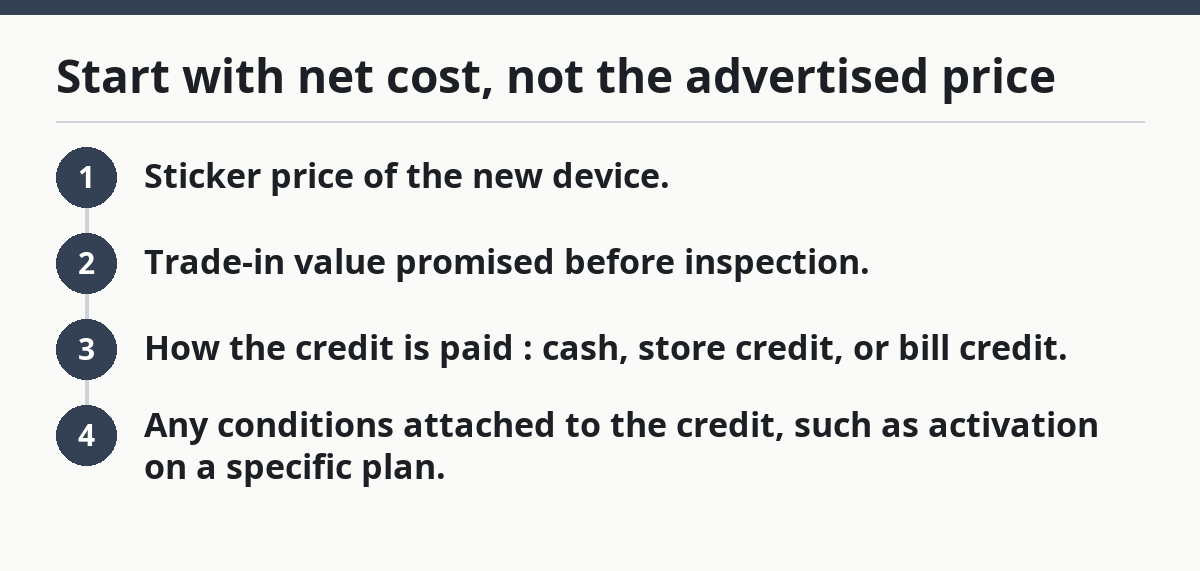
To compare two offers on equal terms, write down four items for each one:
- Sticker price of the new device.
- Trade-in value promised before inspection.
- How the credit is paid: cash, store credit, or bill credit.
- Any conditions attached to the credit, such as activation on a specific plan.
If two deals both advertise a $250 trade-in offer, the one paid as cash is usually easier to compare. The one paid as store credit may still be fine, but only if you were already planning to buy accessories or a second device from that seller.
A common mistake is treating promotional trade-in credit as free money, so it helps to consult the offer terms or a consumer advisor if anything is unclear; the FTC advises checking whether credits are restricted or conditional. It is not free if the deal forces you into a more expensive plan or prevents you from shopping around. The phone may look cheaper on the page, but the real bill can be higher after the terms are applied.
Pros
- Gives a true apples-to-apples number.
- Exposes hidden costs fast.
- Makes different retailers easier to compare.
Cons
- Requires reading the fine print.
- Bill credits can be harder to value than cash.
- Some promotions only work on specific plans or models.
Best for
- Buyers comparing two or three offers side by side.
- Anyone deciding between a carrier deal and an opened handset.
- Shoppers who care more about total spend than a low headline price.
Not for
- People who only want the lowest upfront payment and do not care about the total.
- Buyers unwilling to check credit terms.
- Shoppers who need immediate cash from the old device.
How do you compare a phone deal with a trade-in offer?

You compare the phone deal by converting every offer into the same unit: the real amount you give up over the full term. A clean comparison takes about 10 minutes and works whether you are looking at a flagship model, a midrange Android handset, or a carrier bundle tied to 24 months of service.
-
Write the exact model and storage size.
A 128 GB model and a 256 GB model are not the same purchase, even if both use the same name. The result you want is a like-for-like comparison, not a vague “same phone” assumption. -
Record the listed handset price before trade-in.
Use the advertised price on the product page or checkout page. If a retailer shows a launch promo, note whether it applies to all customers or only to new lines, upgrades, or members. This keeps the comparison anchored to a real starting point. -
Identify the trade-in value type.
Mark whether the offer is cash, instant store credit, bill credit, or a deferred rebate. A $200 bill credit over 24 months is not the same as $200 taken off today, because one is spread out and may be lost if the account closes early. -
Check the device condition rules.
Read the grading language carefully: “good,” “fair,” “excellent,” or “working with damage.” Look for specific exclusions such as cracked display glass, swollen battery, missing stylus, water damage, or activation lock. The quote often assumes a condition better than what many used devices actually have. -
Subtract the true value of the trade-in.
If the offer is a store credit you will not fully use, discount it by the amount you realistically would spend there. If the credit is tied to a monthly bill, spread it across the contract term and note the monthly effect instead of the headline number alone. -
Add any required fees or plan costs.
Activation fees, upgrade fees, or a more expensive rate plan belong in the comparison. A phone that looks $150 cheaper may stop being cheaper once a higher monthly plan is required for 24 or 36 months. -
Compare the final net cost.
Put the final numbers next to each other and choose the lower one only if the credit is equally usable. If one deal gives store credit and the other gives cash, decide whether the restricted credit is worth the difference.
A useful rule: if you cannot explain a deal in one sentence using “I pay X, I receive Y, and I must do Z,” the offer is too hard to compare cleanly. That usually means the promotion is doing its job for the seller, not for the buyer.
Pros
- Turns a fuzzy promotion into a simple number.
- Catches plan requirements and delayed credits.
- Helps avoid a bad upgrade masked by a large trade-in banner.
Cons
- Takes more reading than a quick price glance.
- Requires judgment on store credit value.
- Some offers may change after inspection, so the first quote may not be the final one.
Best for
- Buyers with an old handset in hand.
- Anyone comparing carrier upgrades against opened purchases.
- People who want to know if the trade-in is truly improving the deal.
Not for
- Buyers who have not checked the old device’s condition.
- Anyone unwilling to read promotion terms past the headline.
- Shoppers comparing only one seller’s page without alternatives.
Which offer is better: cash, store credit, or bill credit?
Cash is usually the easiest offer to compare, store credit is useful only if you will spend it there, and bill credit is the hardest to value because the savings arrive later. That matters because a $250 offer can mean three very different things depending on how the credit is paid.
Cash is straightforward. You get a direct reduction in your real cost, and there is no need to keep buying from the same seller. That makes cash the cleanest option for comparison shopping.
Store credit can be valuable if you planned to buy a case, charger, smartwatch, or a second device from the same retailer. The drawback is simple: if the credit is locked to one store, the value is narrower than the number on the page. A $150 store credit is not equal to $150 in cash unless you were already going to shop there.
Bill credit often looks large because the seller advertises the full amount upfront. The catch is timing. If the credit is spread over 24 months, the savings are locked to continued service. Leave early, switch carriers, or change plans, and part of the promotional value can vanish. That makes bill credit a poor fit for anyone who changes carriers often, so it is worth checking the carrier’s terms or asking a sales professional before you rely on the full amount.
Here is a practical way to rank them:
- Best for flexibility: cash.
- Best for planned accessory purchases: store credit.
- Best only if you will keep the plan for the full term: bill credit.
When you compare two phone deals, do not compare a cash offer on one side against a bill credit on the other as if they are equal. They are not. The bill credit may be worth more on paper, but it is also more fragile.
Pros
- Clarifies which type of credit fits your buying habits.
- Exposes the real value of a promotion.
- Makes carrier offers easier to judge.
Cons
- Bill credits need patience and a stable plan.
- Store credit can trap value inside one retailer.
- Cash offers may be smaller than promotional credits.
Best for
- Buyers who may switch carriers or stores later.
- People who want a simple, usable discount.
- Anyone replacing a device and accessories at the same time.
Not for
- Shoppers who may cancel service early.
- Anyone who will not use the seller’s store credit.
- Buyers comparing offers without checking the payment method.
What device condition changes the trade-in quote?
Device condition changes the quote because trade-in programs price risk into the offer, and even small damage can move a device into a lower grade. A screen with a crack, a battery that barely holds charge, or missing accessories can turn an “excellent” quote into a “fair” or “damaged” quote very quickly, according to carrier and retailer trade-in policies.
Most trade-in systems look at the same broad factors:
- Display condition: no cracks, no deep scratches, no dead pixels.
- Body condition: intact frame, buttons, ports, and camera glass.
- Power and battery behavior: device turns on, charges normally, and holds power.
- Functionality: the touchscreen, speakers, cameras, microphones, and connectivity must work.
- Security status: no activation lock, account lock, or unpaid balance.
- Accessories and parts: some offers care about the original box, stylus, or charger, though many do not.
The biggest trap is assuming the online estimate is final. Many sellers give a quote based on a self-reported condition checklist, then revise it after inspection. Because that review can go either way, the comparison should use the most conservative plausible grade, not the best-case one.
If your device has a cracked screen, compare the trade-in quote against the cost of keeping it and buying the new handset outright. A repair does not always pay off before trade-in; sometimes the repair cost exceeds the extra credit. A phone with mild wear may still qualify for a decent quote, but severe damage can push the value so low that the trade-in becomes a convenience, not a savings tool.
One useful habit is to inspect the old device before you shop. Check it in daylight, test the charging port with the cable you already use, and open the camera app. If you spot a problem before you start comparing offers, you can avoid overvaluing a promotion that will later be reduced.
For a broader look at how pricing and value fit together, the mobile phone price comparison and value hub gives the wider context. This page stays on the trade-in math.
Pros
- Explains why one device gets a better quote than another.
- Helps prevent surprises at final inspection.
- Makes it easier to decide whether to repair, trade, or keep the device.
Cons
- Final grading can differ from the online estimate.
- Small issues can have outsized impact on the quote.
- Condition rules vary between sellers.
Best for
- Anyone trading in a used handset with visible wear.
- Buyers who want to avoid quote reductions.
- People deciding whether a repair is worth it before trade-in.
Not for
- Buyers with a new device in perfect condition and no trade-in.
- Shoppers who have not checked account locks or unpaid balances.
- Anyone expecting every seller to grade devices the same way.
What mistakes make a trade-in deal look cheaper than it is?
The most common mistakes are comparing a trade-in offer against the wrong phone, ignoring plan costs, and treating store credit like cash. Those mistakes can make a deal look $100 or more better on paper while leaving the real cost unchanged or even higher.
The first mistake is comparing across different storage sizes or color variants. A 256 GB model may be a better fit for photos and video, but if you compare it against a 128 GB model, the trade-in math is distorted before you even start.
The second mistake is ignoring the service plan. A carrier may attach the best trade-in value to a more expensive monthly plan. Over 24 months, the plan cost can outweigh the headline discount. The phone price is only one part of the bill.
The third mistake is assuming the inspection will match the self-reported grade. If a retailer’s offer is based on “good condition” and the phone has a cracked back glass, the quote may be reduced after review. That is not a surprise if you read the terms, but it is a bad surprise if you do not.
The fourth mistake is failing to compare against buying outright and keeping the old device. Sometimes the trade-in offer is useful only because it simplifies the upgrade. If the old handset still works well enough for another year, the better financial move may be to skip the trade-in entirely and buy a cheaper new model without a promotion attached.
Use this quick sanity check: if the offer still looks good after you remove the trade-in credit, the trade-in is helping. If the deal only looks good because of a large, conditional credit, the promotion is carrying the sale.
Pros
- Identifies where fake savings show up.
- Saves time on promotions that depend on hidden costs.
- Keeps comparisons grounded in the full purchase.
Cons
- Requires reading beyond the big headline.
- Can make flashy offers look less attractive.
- Does not solve every seller-specific condition rule.
Best for
- Buyers comparing carrier promos.
- People with older devices who want to avoid overpaying.
- Shoppers deciding whether to wait for a better handset deal.
Not for
- Buyers focused only on the monthly payment.
- Shoppers unwilling to check the plan terms.
- Anyone comparing a trade-in without a clear baseline device price.
Where can you verify the offer before you trade in your phone?
You can verify the offer by checking the seller’s written terms, the checkout page, and the trade-so before you submit the device. That matters because the final value in a mobile phone price comparison with trade-in offers depends on the exact conditions attached to the credit.
Start with the promotion page and look for the fine print on plan eligibility, activation timing, and device condition. Then check whether the credit is instant, delayed, or split across monthly statements. If the offer relies on an inspection, read the grading policy before you mail or hand over the phone.
Then compare the seller’s estimate with the device’s actual condition. If the phone has wear, missing parts, or account issues, lower the expected credit before you accept the deal. A careful check now is better than a reduced payout later.
For outside guidance, the CFPB’s consumer advice on shopping and contracts and the FTC’s guidance on promotional claims are useful reference points for understanding the terms behind a trade-in offer. They do not replace the seller’s policy, but they help you interpret it.
If you still have questions, contact the retailer or carrier and ask for the trade-in terms in writing. That is the safest way to confirm that the offer you saw online matches the offer you will actually receive.
Pros
- Helps confirm the deal before you send the device.
- Reduces the risk of a payout reduction.
- Gives you a written record of the trade-in terms.
Cons
- Takes extra time before purchase.
- Fine print can still be hard to interpret.
- Seller policies can change over time.
Best for
- Anyone mailing in a trade-in.
- Buyers comparing online and in-store offers.
- People who want written proof of the promotion.
Not for
- Shoppers who have already accepted the deal.
- Buyers unwilling to read the terms carefully.
- Anyone expecting verbal promises to override written policy.
How do you choose the better phone price with trade-in?
You choose the better phone price with trade-in by comparing the lowest real net cost, the most usable credit, and the fewest added conditions. In How to Compare Mobile Phone Prices with Trade-In Offers, the winning deal is the one that leaves you paying less without forcing you into a worse plan or a weaker phone.
Start by ranking the offers in this order:
- Lowest net cost after all discounts.
- Most flexible credit type.
- Fewest required fees or plan changes.
- Best device condition terms.
If two offers are close, the safer choice is usually the one with cash or bill credit that you can fully use, not the one with a larger headline number. A trade-in that sounds bigger can still be worse if it is locked to a store, delayed across many months, or tied to a pricier plan.
Remember that the point of a mobile phone price comparison with trade-in offers is to measure what you actually pay. If the numbers are close, choose the deal that is simpler, clearer, and easier to keep. That is often the deal with fewer strings attached, not the one with the biggest banner.
Pros
- Brings the comparison down to one decision.
- Rewards clear terms over flashy advertising.
- Works for carrier, retailer, and online trade-in offers.
Cons
- Requires a full reading of the offer terms.
- Can take away the appeal of a large promo headline.
- Does not help if the buyer has no trade-in device.
Best for
- Buyers ready to choose between two final offers.
- Anyone who wants the lowest true out-of-pocket cost.
- Shoppers comparing a phone deal with a trade-in offer across retailers.
Not for
- People who have not checked every fee.
- Buyers ignoring plan duration.
- Shoppers unwilling to compare the full terms.
Drafted with AI; not yet reviewed by a person.