

How to Build a Mobile Phone Ownership Budget
Last updated: November 19, 2026
A mobile phone ownership budget should cover the phone itself, the extras, the repair reserve, and the monthly plan, then subtract any trade-in value before you decide what you can afford. If you only budget for the sticker price, the phone will look cheaper than it is. A better budget treats the phone like a 2- or 3-year cost, not a one-day purchase.
Key takeaways
- Put the device price and the monthly bill in the same budget. That is where most surprises show up.
- Set aside separate money for accessories, repairs, and replacement so one cracked screen does not wreck the plan.
- Use trade-in value as a credit, not as a promise. Count it only after you know the real offer.
- A good budget has a purchase limit, a monthly limit, and a replacement target.
- This method works best for buyers who want a phone without drifting into a bigger bill later.
What goes into a mobile phone ownership budget?

A mobile phone ownership budget includes the phone price, accessories, the monthly service cost, repair money, and the amount you expect to get back from a trade-in. That is the full cost picture a buyer needs before choosing a model.
Start with the device price. That is the biggest one-time cost, and it is easy to overfocus on it because it sits in front of you on the product page. Then add accessories such as a case, screen protector, charger, cables, or earbuds if the box does not include them. Those small items can shift the budget more than people expect.
Next, add the recurring costs. A phone with a low upfront price can still be expensive if the monthly plan is high. If you want a clean budget, keep the device cost and the monthly bill in separate lines. That makes it easier to see what you can change now and what you cannot.
The last pieces are the repair reserve and the trade-in estimate. The repair reserve is money you set aside for a cracked screen, battery issue, or other damage. The trade-in estimate is money you expect to recover when you replace the phone. Do not count that money twice.
A simple way to think about it is this: purchase budget + accessory budget + repair reserve + monthly service cost – trade-in value = your real ownership cost. That formula is useful because it stops a buyer from treating the phone as a single price tag.
How do I build a mobile phone ownership budget?
You build a mobile phone ownership budget by listing every cost, setting a ceiling for each one, and checking the total against the amount you can spend over the full life of the phone. The process is simple, but it works only if you write down every line.
-
Set the phone life span first. Choose a 2-year or 3-year ownership window before you shop. That gives the budget a time frame, which keeps the monthly math honest.
-
Cap the device price. Decide the highest price you can pay for the phone itself, before tax, accessories, or plan costs. If the phone price eats the whole budget, the rest of the plan fails fast.
-
Add accessory costs as a separate line. List the items you actually need, such as a case and screen protector, not every add-on in the store. This keeps the budget from swelling with extras that do not change day-to-day use.
-
Set a repair reserve. Put money aside for one likely repair or accident during the ownership period. Even a modest reserve is better than pretending nothing will go wrong.
-
Estimate the monthly service bill. Write the regular phone bill into the budget for the same 2- or 3-year window. A low device price can look wrong once the monthly charge is added.
-
Subtract trade-in value only at the end. Treat trade-in as money that may come back later, not cash you already have. That keeps the budget realistic and avoids overspending up front.
This step-by-step method is useful because it separates the parts of the decision. If one phone is cheap but has higher monthly costs, you will see that. If another phone is pricier but likely to hold more trade-in value, you will see that too.
How much should I set aside for each part?

You should split the budget into four buckets: device price, accessories, repair reserve, and monthly service cost. The right split depends on the phone you buy, but the structure should stay the same.
| Budget bucket | What it covers | Why it matters |
|---|---|---|
| Device price | The phone itself | Sets the main upfront spend |
| Accessories | Case, screen protector, charger, cables, earbuds | Prevents surprise add-on costs |
| Repair reserve | Screen damage, battery issues, other fixes | Gives you a buffer when something breaks |
| Monthly service | Plan charges over the ownership period | Often changes the total more than the phone price |
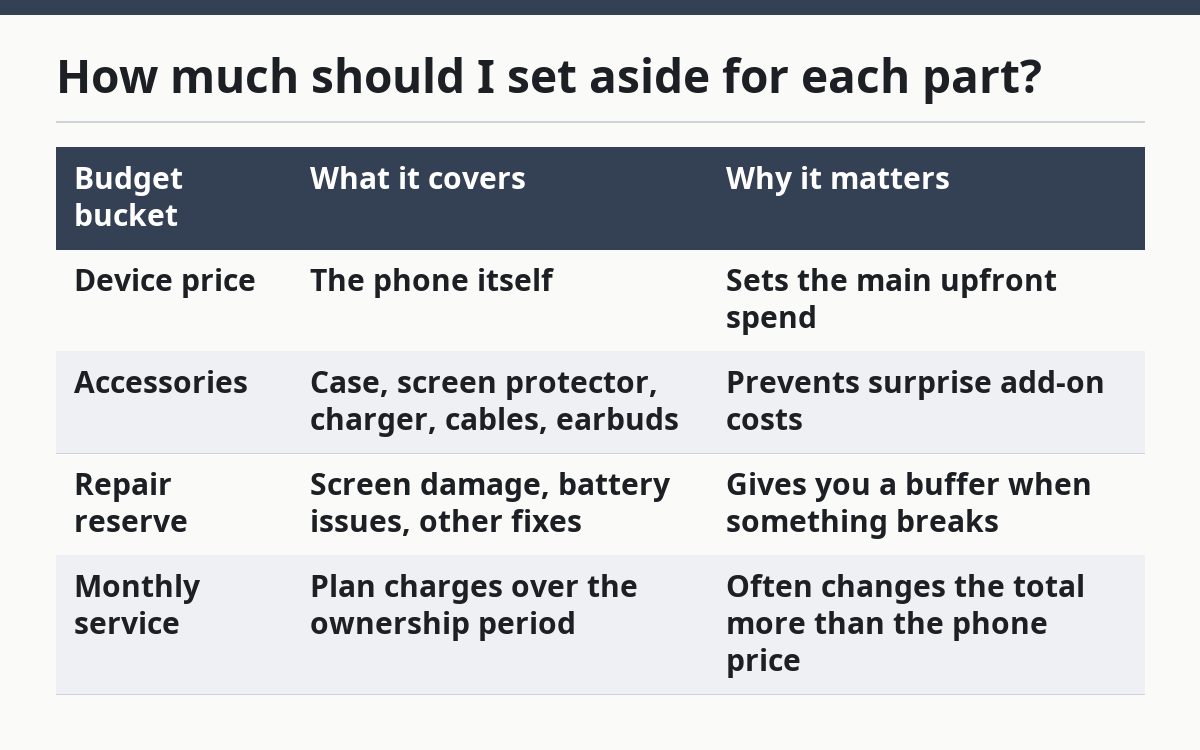
A practical budget keeps the accessory line modest. If a buyer needs a case and screen protector, those belong in the plan. If the phone box already includes a charger or cable, do not count that cost twice.
The repair reserve should be separate from the emergency fund you use for rent, food, or bills. Phone damage is common enough that the budget should expect it, but not so common that you should treat every repair as guaranteed. The reserve is a cushion, not a prediction.
For the monthly service cost, think in full months, not in a single billing cycle. If the plan is paid every month, multiply that charge across the ownership window. A 24-month window and a 36-month window can produce very different totals even when the phone price stays the same.
The trade-off is clear: a higher upfront device price can make sense if it lowers the rest of the bill, but only if the savings are real and not just marketing. That is where a budget helps. It makes the choice about total cost, not about one tempting number on the screen.
What should I do about trade-in and replacement timing?
You should plan trade-in and replacement timing together, because they affect the final cost of ownership. If you replace phones often, trade-in matters more. If you keep a phone longer, repair reserve and battery life matter more.
A trade-in should be treated as future value, not guaranteed cash. The amount you expect can fall if the phone has damage, a weak battery, or missing parts. That is why the budget should work even if the trade-in offer comes in lower than hoped.
Replacement timing is the other half of the plan. A 2-year replacement timeline usually means a higher monthly ownership cost than a 3-year timeline, because the device cost is spread over fewer months. On the other hand, waiting longer can raise repair risk and may reduce trade-in value.
The useful question is not “When should I buy a new phone?” It is “How long do I want to own this one before I repeat the budget?” That answer changes the math. A buyer who keeps phones longer can spread the device cost out and may need a larger repair reserve. A buyer who upgrades sooner should focus more on trade-in value and resale condition.
One honest limitation: this budget does not remove the uncertainty of trade-in offers. It only makes that uncertainty manageable. If a buyer cannot tolerate a lower-than-expected trade-in value, the budget should be built without depending heavily on one.
What mistakes make phone budgets break?
The biggest mistake is budgeting only for the device and ignoring the rest. That leaves out the monthly plan, the accessories, and the repair reserve, which are the parts that turn a cheap-looking phone into an expensive one.
A second mistake is counting trade-in money too early. If the trade-in is not in hand, it should not pay for today’s purchase. That error can push a buyer into a phone that looks affordable on paper but strains the budget later.
A third mistake is mixing wants with needs in the accessory line. A case and screen protector are practical. Extra earbuds, a second charger, or premium add-ons may be fine, but they belong in the budget only if they fit the plan. A crowded accessory list can add cost without improving the ownership experience.
A fourth mistake is forgetting the repair reserve. Without one, even a small fix can force a credit card balance or delay a replacement. That is a hidden cost because it does not show up at checkout.
A fifth mistake is building the budget around the sale price instead of the total ownership cost. Sale prices move. Monthly bills, replacement timing, and repair needs still remain. A phone can be a good buy and still be a poor budget fit.
This is where a phone ownership budget earns its keep. It does not promise the cheapest phone. It helps a buyer choose a phone that fits both the first payment and the months after it.
How do I use this budget before I buy?
You use this budget before you buy by comparing the total ownership cost, not just the device price, against the money you have set aside. That gives you a clear pass-or-wait decision.
First, write the full cost on one page: device price, accessories, repair reserve, and monthly service over the ownership window. Then subtract any trade-in value you can reasonably expect. If the result is higher than your limit, the phone is too expensive for your current plan.
Next, compare two or three phones using the same time frame. A phone with a lower purchase price may still lose if the monthly cost is higher. A phone with a bigger upfront price may still win if it needs fewer add-ons or holds more trade-in value. That is why a budget is more useful than a sticker-price check.
For readers who want a broader buying framework, this page fits under the larger guide to Mobile Phone Buying Strategy and Total Cost. That larger guide covers the full cost lens; this page gives the budget sheet you can actually use.
A budget built this way is not perfect, but it is honest. It tells the buyer what the phone will likely cost to own, not just what it costs to carry out of the store.
What should be in a phone ownership budget?
A phone ownership budget should include the device price, accessories, the monthly plan, a repair reserve, and the trade-in value you expect to recover later. That combination gives you the real cost of owning the phone over time, not just the checkout total.
It should also include a time frame, such as 2 years or 3 years. Without that, the budget has no way to show how the monthly bill changes the final cost.
How much should I set aside for repairs and accessories?
Set aside enough to cover the accessories you actually need and a repair reserve that would let you handle one likely problem without panic. A case and screen protector belong in most budgets, while the repair reserve should stand apart as backup money.
Do not lump repairs into your general spending money. A separate reserve keeps a cracked screen or battery issue from disturbing rent, food, or other fixed costs.
Drafted with AI; not yet reviewed by a person.