

How to Check Mobile Phone Band Support for International Use
Last updated: November 19, 2026
Quick Answer: in 10 to 15 minutes, you can check whether your phone supports the LTE bands and 5G bands used by the country and carrier you plan to use.
Your phone may work at home and fail abroad because the LTE bands, 5G bands, or carrier bands don’t match the local network.
Check the model number, then compare its band list with the bands used in the country and carrier you plan to use.
The steps below show how to find the right model, read the band list, and spot roaming traps before you leave.
Key Takeaways
- The model number matters more than the brand name.
- A phone can support one country’s network and still miss another country’s LTE or 5G bands.
- Roaming may work on paper while local data speeds stay poor.
- Carrier websites and band charts beat guesswork.
- If the band list looks vague, stop and find the exact variant.
How do I check mobile phone band support for international use?

You check it by matching your phone’s exact model to the band list for the destination network.
That sounds simple, but the model number, not the marketing name, decides whether your phone has the right LTE bands or 5G bands. For How to Check Mobile Phone Band Support for International Use, that model-to-band match is the core step.
Picture this: you’re holding a phone that says “global” on the box, but the network in the country you’re visiting uses bands your variant never got. The phone powers on. The signal bars may appear, but data still crawls or disappears. That is the real problem.
Here’s the catch: “international use” can mean three different things—home carrier roaming, local SIM use, or both. Roaming can mask a band gap for voice while data suffers. A local SIM puts the band match to the test right away. The right check starts with the hardware, not the plan.
-
Find the model number in Settings, on the box, or under the battery tray if the phone has one.
The exact code, like SM-G991B or A2483, is the key to the correct band list. -
Look up the manufacturer spec sheet for that model.
You want the band list for the exact variant, not the product family name. -
Check the destination carrier website for supported LTE and 5G bands.
Many carriers publish band or frequency pages for phones and SIMs. -
Compare LTE bands first.
LTE still carries a lot of real-world voice and data outside your home market. -
Compare 5G bands after LTE.
A phone can have 5G on one region’s n78 band and still miss another region’s main 5G layer. -
Check roaming notes for your home carrier.
Roaming may use partner networks with different band access than a local SIM. -
Decide on the weakest match, not the strongest one.
If either LTE or 5G is missing on the bands you need, treat that as a warning and consider checking with the carrier or a repair or compatibility professional before you travel.
Find the exact model number before you compare bands
The model number tells you which radio hardware sits inside the phone.
A Galaxy, iPhone, or Pixel name alone is too broad, because different regions often ship different band sets.
Picture this: you search your phone online and see ten spec pages with the same brand name. One is for North America, one for Europe, one for Japan, and one for a carrier-locked version. Only one matches your device. That is why a model code beats a marketing name every time.
Use the device itself first, then the paperwork if needed.
- Settings path: On many phones, the model sits under About Phone or About Device.
- Box label: The box often prints the model code near the barcode.
- SIM tray or rear label: Older phones may show the code there.
- Carrier receipt or invoice: Useful if the phone was sold as a carrier variant.
The model number matters because band support changes by region and seller. A US version may support different LTE bands than a European one, even when the phone body looks identical. The same rule applies to 5G, where a missing mid-band can change the phone from fast to frustrating.
If you only have the name, write down the full model code before you go any farther.
Do not compare bands by brand alone. That shortcut causes most mistakes.
Check the band list on the manufacturer spec sheet

The manufacturer spec sheet gives you the cleanest band list for your exact phone.
That list should name LTE bands, 5G bands, and sometimes 2G/3G bands, though 3G is being phased out in many places.
Picture this: you have the model code in hand and open the official spec page. Now the job is to scan for band numbers, not marketing copy. You are looking for pairs like LTE Band 3, Band 7, Band 20, or 5G n78 and n41. Those numbers are what networks actually care about.
Numbers beat slogans.
Look for these parts on the spec page:
- LTE / 4G bands: often written as Band 1, Band 3, Band 5, Band 20, Band 28, and so on.
- 5G bands: often written as n1, n3, n7, n28, n41, n78, n79, or mmWave bands like n260 and n261.
- Region labels: sometimes the spec page splits bands by country or carrier version.
A model may support one long list of LTE bands but only a few 5G bands. That is common. It means the phone may still work well abroad on LTE even if the local 5G layer is missing.
Do not trust a storefront listing that says “global version” without a band table.
If the exact band numbers are not there, the claim is too soft to use.
Two authoritative places to check are the manufacturer’s official support page and the destination carrier’s device compatibility page. Apple, Samsung, Google, and major carriers usually publish model-specific details that are easier to trust than a random reseller page.
Match your phone to the destination carrier bands
Your phone only needs the bands the local network actually uses.
That is why carrier bands matter more than a broad country name.
Picture this: you know the phone supports LTE Band 1, Band 3, and Band 7. The country you’re visiting may use those bands on one carrier, but another carrier may lean on Band 20, Band 28, or a different 5G layer. The same phone can be a good fit on one network and a poor fit on the next.
Start with the carrier, not the flag on the map.
- Carrier website: Search for “supported devices,” “band list,” or “network frequencies.”
- Coverage pages: Some carriers explain which bands carry urban, rural, or indoor coverage.
- Country compatibility tools: A few carriers list foreign models and whether they can use 4G or 5G.
Then compare like for like:
- LTE match: This is often the safest place to begin because LTE coverage is still the fallback layer in many markets.
- 5G match: Check this only after LTE, since 5G bands vary more by region and often don’t matter for basic service.
- VoLTE support: Some carriers require voice over LTE for calls once older networks are gone.
Here’s the catch: a phone can “support” the network in a loose sense and still miss the band that matters in the place you will actually use it. City centers may use one set of bands. Rural areas may rely on another. If you care about reliable service outside major cities, you need the bands used there, not the bands used in a showroom demo.
If the carrier publishes a device checker, use it. If it names your exact model, that is better than a general compatibility promise.
Exact beats general.
Do roaming and eSIM change the band check?
Roaming changes the SIM side, not the radio side, so it does not erase a band mismatch.
Your phone still needs compatible hardware to connect well abroad.
Picture this: you keep your home SIM active, and the phone connects through a partner network in another country. Voice may work. Text may work. Data can still be weak if the roaming partner uses bands your phone lacks or uses poorly. That is why roaming is not a free pass.
Use these rules:
- Roaming can help coverage, but it does not add missing bands to the phone.
- Local SIM or eSIM still depends on the same radio support inside the handset.
- Dual-SIM phones may let one line roam while the other uses a local plan, but each line still rides the phone’s band support.
Do not assume “world phone” means “works well everywhere.” That phrase is a sales label, not a band chart. A phone with broad LTE support and thin 5G support may still be a fine travel device. A phone with missing LTE bands is a different story.
When the match is borderline, favor the bands used by the carrier where you will spend most of your time. For many travelers, LTE matters more than chasing the newest 5G number. That is especially true if your trip is short, your calls matter more than peak speed, or you will use roaming for only a few days.
A useful rule of thumb: if the phone supports the destination carrier’s main LTE bands and at least one common 5G band, you are in much better shape than if it supports only one or the other.
Common mistakes that make a phone look compatible when it isn’t
The most common mistake is checking the country instead of the carrier and model.
That mistake can leave you with a phone that powers on but still performs badly.
Picture this: you search “does my phone work in Japan?” and stop at a yes-or-no answer. That answer may miss the real issue, which is whether your exact model supports the Japanese carrier’s LTE and 5G bands. A yes on the country does not equal a yes on the network.
Watch for these traps:
- Using the phone name only. A model family often has regional variants.
- Skipping LTE and only checking 5G. LTE remains the fallback in many places.
- Reading a retailer listing instead of a spec sheet. Retail text can be vague or incomplete.
- Ignoring band numbers. “Fast,” “global,” and “international” are not band support.
- Forgetting VoLTE. Some networks now need it for voice calls.
The cost of these mistakes is simple: missed calls, weak indoor data, or a phone that works in one city and fails in another. If your trip involves work, rides, hotel check-in, or maps, that can be a real problem.
Use the band chart, then the carrier page, then the roaming notes.
Do not reverse that order. The carrier promise is only useful after the hardware match is clear.
Which bands matter most for international travel?
The bands that matter most are the ones used by the destination carrier for everyday LTE service, then the key 5G bands if you want 5G.
For many travelers, a solid LTE match matters more than a perfect 5G match.
Picture this: you are comparing two phones and one misses a major LTE band used in the country you will visit. Even if that phone has more 5G bands on paper, the weaker LTE fit is the bigger problem. LTE is still the base layer in many places, and it carries a lot of voice and data traffic.
That is the layer to protect first.
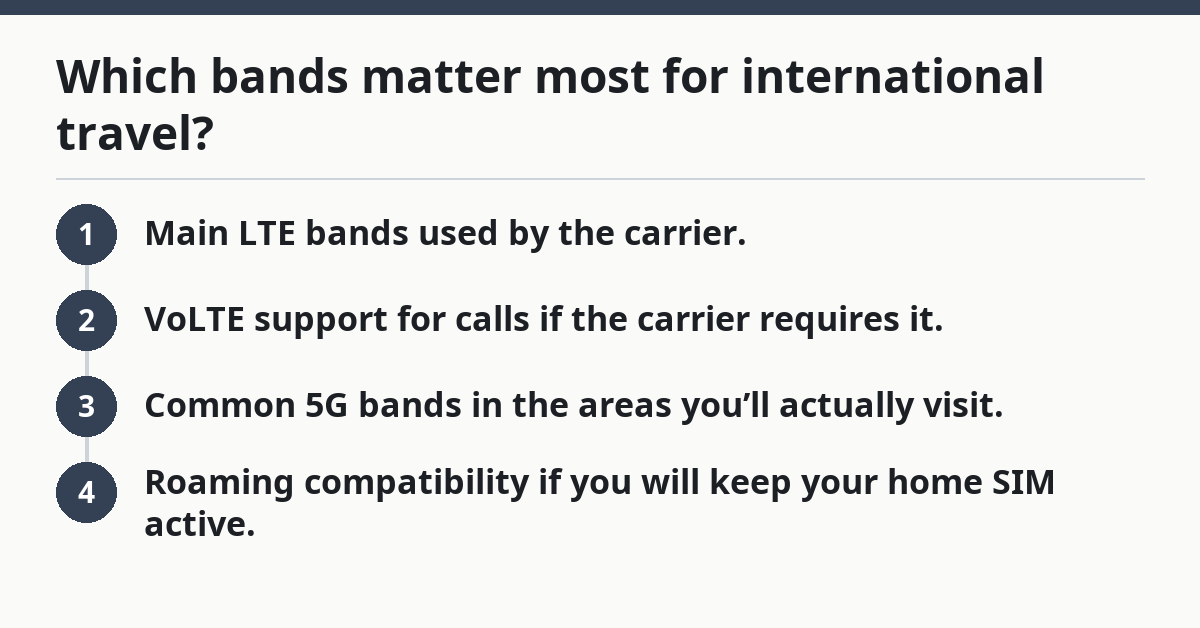
Use this priority order:
- Main LTE bands used by the carrier.
- VoLTE support for calls if the carrier requires it.
- Common 5G bands in the areas you’ll actually visit.
- Roaming compatibility if you will keep your home SIM active.
If you are going to multiple countries, repeat the same check for each one. A phone that is a strong fit in the UK may not be a strong fit in parts of Asia or Latin America, depending on the carrier and the bands in use. That is normal, not a defect in the phone.
For a broader map of device fit, the hub on mobile phone compatibility and network fit is the right place to start before you compare travel plans or SIM choices.
What should I do if the band list is hard to read?
If the band list is hard to read, use the model number and the carrier checker together.
That usually clears the fog in minutes.
Picture this: the spec sheet is a wall of band numbers and regional notes, and you’re not sure which lines matter. The move is not to guess. The move is to isolate the exact model, then compare only the carrier’s active bands for the country you care about.
Use this shortcut:
- Find the exact model code.
- Open the official spec page for that model.
- Open the destination carrier’s band or device page.
- Match the LTE bands first.
- Add 5G only after LTE is confirmed.
If the page uses odd labels, remember that some regions write 5G as n78, n28, or n41, while LTE is usually written as Band 3, Band 20, or Band 28. That is normal. The naming style changes; the radio requirement does not.
If you still cannot tell, stop and look for a carrier compatibility checker or a regional support page from the phone maker. Those tools often turn a messy band list into a simple supported / not supported result. That is the cleanest answer for a travel decision.
Which bands do I need for international travel?
You need the bands used by the carrier where you’ll actually connect, with LTE first and 5G second.
There is no single universal band set for all countries. A phone that covers the main LTE bands for your destination usually matters more than one that chases every 5G band.
How do I find my phone’s band list?
You find it by checking the exact model number and opening the manufacturer’s official spec page, then comparing it with the destination carrier’s band or device page.
Drafted with AI; not yet reviewed by a person.