
How to Track Mobile Phone Price Drops Across Retailers
Last updated: November 18, 2026
Quick Answer: To track mobile phone price drops across retailers, compare 3 to 5 stores, set one alert on the exact model page, and review the total cost twice a week. A mobile phone price tracker lets you watch one handset across several stores, get alerted when the price falls, and buy when the discount is real instead of noisy. The next step is simple: pick the exact model and storage size, add it to a comparison tool or alert service, and save the retailer pages you want monitored.
Key Takeaways
- Track the same phone model page across retailers, then watch for price, coupon, and stock changes in one place.
- Set an alert on the exact model page, choose a target price or percentage drop, and keep it broad enough to catch real discounts.
- A real drop should change the base price, storage tier, or listed offer, not only the headline banner.
- Build one comparison list, one alert, and one decision threshold, then check it on a fixed schedule.
What a mobile phone price tracker should do for you
A mobile phone price tracker should show the same phone model page across multiple retailers, then flag price drops, coupon changes, and stock shifts in one place. If it cannot track the exact storage tier — for example, 128GB versus 256GB — it is too vague to help.
That precision matters because phone pricing is often messy. A retailer may list the base model at one price, then quietly change the bundle, the color, or the trade-in offer. A real tracker separates the phone itself from extras so you can see whether a drop is on the handset or just on a package that includes earbuds, a case, or a service plan.
This is the difference between checking one shop and tracking a market. A single retailer page can tell you today’s number. A tracker shows whether another store is lower, whether a listed price has moved in the last few days, and whether the “deal” is simply the normal price with a promotional code attached. That is why this approach can suit a buyer who has already chosen a model and now wants the best place to buy it.
A good setup also lets you compare the same model across stores without opening ten tabs. If the phone appears under a different SKU, different color name, or a carrier bundle, the comparison gets messy fast. A useful tracker keeps the focus on the exact device, not on the marketing around it.
This page sits inside the larger hub, but this section is about one job only: keeping an eye on the same handset across retailers until the price breaks your threshold.
Which stores should I compare for phone prices?
I would compare the major national electronics chains, the manufacturer’s own store, the main online marketplace where the model is sold directly, and any carrier store that lists the opened version. Those four source types cover most meaningful differences, but if you are making a purchase decision, consult the retailer’s own terms and a professional adviser if needed, and review the FTC’s pricing guidance and CNET’s buying advice for context. See the FTC and CNET for general consumer guidance.
Start with the official brand store for the model page, because it sets the cleanest reference point for storage, color, and configuration. Then add two or three large retailers that regularly stock the same opened handset. If you are buying a carrier-locked device, include the carrier’s store as a separate source; those pages often use contract pricing, installment offers, or trade-in credits that do not translate cleanly to opened pricing.
The point is not to chase every price on the web. It is to compare sources that actually sell the same thing. A retailer that lists a 128GB opened version in black is useful. A marketplace listing that mixes used, refurbished, and new units under one page can distort the result unless you filter it carefully.
I would leave out stores that rarely show the exact model you want, because dead ends waste attention. A comparison works best when the same phone model page exists in at least three places. If only one store carries it, that is not a comparison; that is a single-source check.
One practical filter helps: compare on storage first, then color, then condition. Storage changes the price far more than color does on most mainstream phones, and condition matters more than a small cosmetic variation. If the phone is 256GB, do not compare it with 128GB and assume the gap is a discount.
For source quality, I would favor retailers that clearly label whether tax is included, whether shipping is extra, and whether the price is tied to a limited-time coupon. A lower shelf price can disappear once checkout adds the missing pieces.
How do I set up price alerts for a phone?
Set the alert on the exact model page, choose a target price or percentage drop, and make the alert broad enough to catch real discounts without drowning you in noise. If the service lets you choose “any retailer,” “specific retailer,” or “watch all sellers,” start with specific retailers and expand only if the model is hard to find.
Here is the core setup that works for most buyers:
-
Pick the exact phone model and storage tier.
Use the full product name, such as a 256GB version of a specific flagship model, not just the brand name. The result should be one clean watch item, not three similar phones. -
Add 3 to 5 retailers with the same device.
Include the manufacturer store, two large electronics retailers, and a carrier store if you want contract pricing. The result is a small comparison set that is easy to scan daily. -
Set a price threshold, not a vague “good deal” note.
Enter the amount you are willing to pay or the size of the drop you want. A threshold keeps the alert useful when prices bounce by a small amount. -
Turn on email, app, or browser alerts.
Choose one channel you actually check. If you use all three, the same drop can become spam. -
Save the phone model page and the exact retailer page.
Save both, because the product page and the retailer listing can change independently. The saved page is your proof of what was tracked. -
Review alerts after 24 to 48 hours.
Check whether the drop is a true price change, a coupon, or a bundle tied to accessories or a plan. That short review can help prevent false urgency, but if you are unsure about a pricing or financing change, consult the retailer and a consumer source such as the FTC before buying.
The best alerts are the ones that simply report a genuine move in the tracked price, not a flashing banner that disappears at checkout. If the tracker cannot distinguish sale price from bundle price, it is better to turn alerts off than to chase bad data.
For a broader framework on research methods, this is the point where the hub on fits, because tracking is only one part of the buying process.
What to watch on the phone model page before you trust a drop
A real drop on the phone model page should change the base price, the storage tier, or the retailer’s listed offer, not just the headline banner. If the page changes only in wording, the discount may be cosmetic.
The first thing to check is whether the page still shows the same SKU or product code. A retailer can move the phone into a different listing that looks identical but includes a color change, a carrier lock, or a bundle. That new listing may have a lower price because it is not the same item.
Second, watch the shipping line and any tax note. A page with a lower shelf price and higher shipping can erase the savings. The same problem appears when a store labels the device “free delivery” but builds the cost into the phone price itself.
Third, look for financing language. An installment price of 24 monthly payments is not the same as a lower cash price. If the headline number is tied to a 24-month plan, treat it as a payment structure, not a clean discount, and if you are unsure how the financing works, consult the retailer’s terms and a consumer source before acting.
Fourth, inspect whether the offer depends on trade-in. Some retailers show a low number only after a device trade-in step. That may be useful, but it is not the same as a simple price drop across retailers. If you do not have a trade-in phone ready, the advertised number is not your price.
A good tracker should help you spot these differences, but the final check still belongs to you. Look at the total cost to your door, not just the first number on the page. That rule can help you avoid false urgency.
There is also a timing detail that matters. A price that drops for 2 hours and returns to normal the next morning is not the same as a sustained sale. If you are tracking over a week, note whether the number stayed down long enough to matter. Short-lived dips can signal a clearance move, but they can also be inventory churn.
The fastest workflow for tracking one phone across several retailers
The fastest workflow is usually to build one comparison list, one alert, and one decision threshold, then check it on a fixed schedule. That keeps you from opening random product pages all day.
Start with a single spreadsheet or price tracker dashboard and list the exact model, storage size, retailer name, URL, current price, shipping, and any trade-in or plan requirement. Add one column for the “all-in” cost. That number is the one that matters when the price is close across stores.
Then check the same retailers on a fixed rhythm. For most buyers, twice a week is enough unless the model is in short supply or a launch sale is underway. Checking every hour creates noise; checking once a month misses short discount windows. A 2-times-per-week habit is enough to see movement without turning the purchase into a second job.
Use one rule for action: buy when a retailer hits your target and the offer is clean. “Clean” means the exact model page, the right storage tier, no forced bundle, and no hidden carrier condition. If two retailers are within a small gap, choose the one with the clearer return policy and the less complicated checkout.
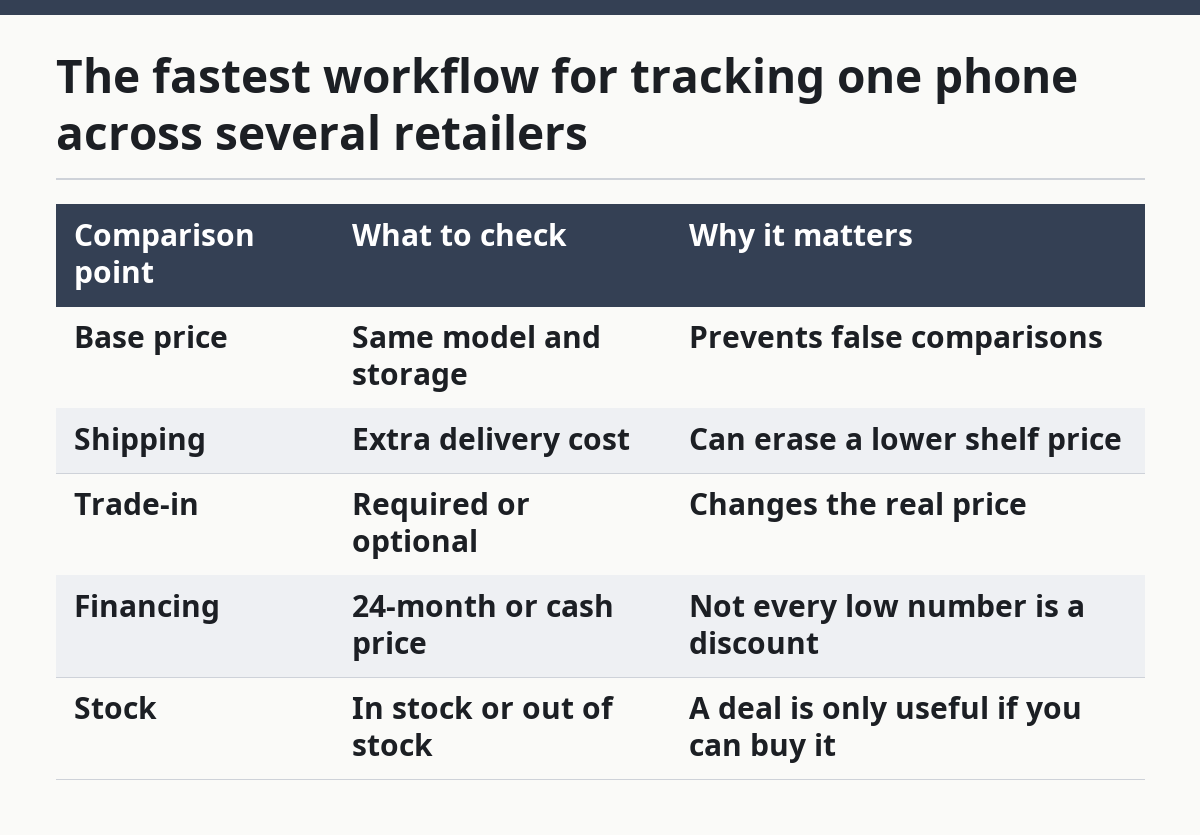
If the phone appears on three retailer pages at once, compare them in this order: base price, shipping, trade-in requirement, and financing terms. That order prevents the lowest headline number from winning automatically. A $20 lower shelf price can be wiped out by shipping or a mandatory plan.
| Comparison point | What to check | Why it matters |
|---|---|---|
| Base price | Same model and storage | Prevents false comparisons |
| Shipping | Extra delivery cost | Can erase a lower shelf price |
| Trade-in | Required or optional | Changes the real price |
| Financing | 24-month or cash price | Not every low number is a discount |
| Stock | In stock or out of stock | A deal is only useful if you can buy it |
A simple workflow also makes it easier to recognize true price drops. If the same model sits at one price for weeks and suddenly falls on two retailers at once, that is more meaningful than a single-site dip. If only one store drops and the others do not move, the lower figure may be a local promotion or an inventory cleanup.
Common mistakes that make phone price tracking misleading
The biggest mistake is tracking the wrong version of the phone, and it usually costs you time, not money. A 128GB model can look like a bargain next to a 256GB listing, but the comparison is false. Always match storage first, then condition, then carrier status.
Another mistake is watching only one retailer. That can cost you the best available deal because a second or third store may have the same handset listed lower with no plan attached. If you are comparing just one source, you are not tracking a drop; you are only watching a single price move.
A third mistake is treating a bundle as a discount. A phone sold with earbuds, a case, or a service credit can look cheaper than the standalone listing, but the extras may not matter to you. Compare the handset price by itself before you add accessories.
A fourth mistake is ignoring stock status. A phone that is “out of stock” at the lowest price is not a real option unless you are willing to wait. That delay matters when the model is popular and the price changes fast.
A fifth mistake is failing to note the checkout total. A retailer may advertise one figure on the product page and another at checkout after shipping or taxes. The difference is small on paper and real in your wallet.
One more trap is assuming every price drop is permanent. It may be a temporary promotion, a weekend event, or a limited coupon. If you need the phone now, the difference between a brief dip and a stable new floor matters. A tracker helps you notice the movement, but it does not guarantee the price will stay there.
If a listing depends on trade-in math, financing, or a carrier contract, that is not wrong, but it is a different product. If you do not want those conditions, skip the listing rather than trying to “subtract them out” in your head.
When a phone price tracker is the wrong tool
A phone price tracker is the wrong tool when you need a buy-now answer within minutes. If your old phone has failed and you need a replacement today, comparison tracking will slow you down more than it helps.
It is also the wrong tool when you have not chosen the exact model. Tracking five possible phones across four retailers each turns into a mess of false comparisons. At that stage, you need model selection first, then price monitoring.
I would also skip a tracker if the market is too thin. If only one retailer sells the version you want, or if every listing is bundled differently, the comparison signal is weak. A tracker works best when the same phone model page appears across several stores with similar terms.
The tool is most useful for a buyer who knows the model, the storage tier, and the maximum acceptable price. If that is not you yet, this page is too early in the process. If it is you, the method is straightforward: choose the exact handset, track 3 to 5 retailers, set a price alert, and wait for the first clean drop that matches your terms.
Drafted with AI; not yet reviewed by a person.