
How to Compare Mobile Phone Screen Sizes Before Buying
Last updated: November 18, 2026
Key Takeaways
- A 6.7-inch phone gives you more screen, but it also usually means more reach, more thumb travel, and more risk of awkward pocket carry.
- Compare phone screen sizes by checking the diagonal, then matching it with resolution, refresh rate, and body size.
- Smaller screen sizes are usually easiest for one-handed use, especially when the phone body stays narrow.
- Pocketability often matters more than buyers expect, because a phone that annoys you every day will feel wrong long before the display size looks impressive on paper.
Compare phone screen sizes by looking past the diagonal number and checking screen size, display resolution, refresh rate, and the phone’s body width, because a 6.7-inch screen can still feel very different from another 6.7-inch phone.
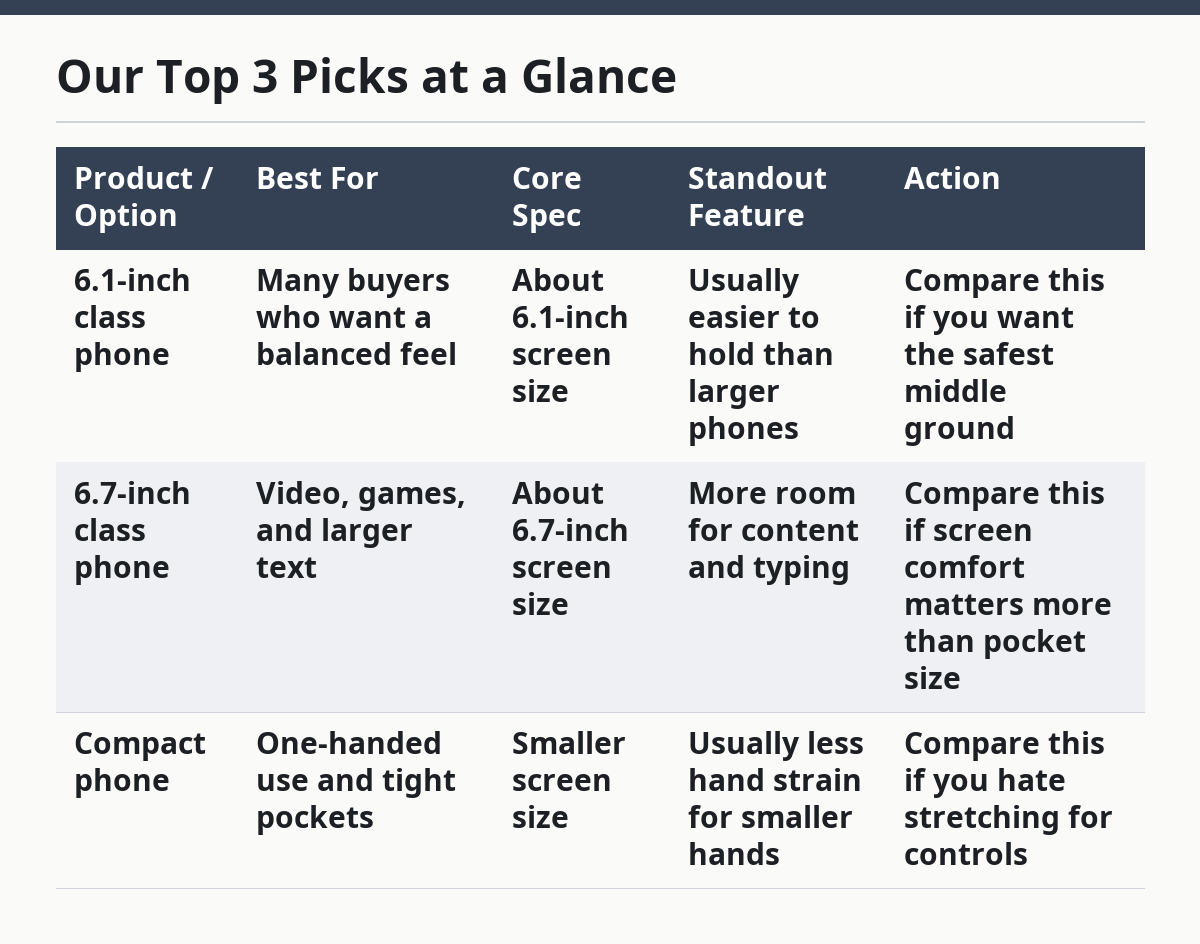
This guide on How to Compare Mobile Phone Screen Sizes Before Buying breaks down the table below and the trade-offs that matter for one-handed use, pocketability, and viewing comfort. It uses screen size, resolution, and refresh rate as separate checks, because each one changes the buying decision.
Our Top 3 Picks at a Glance
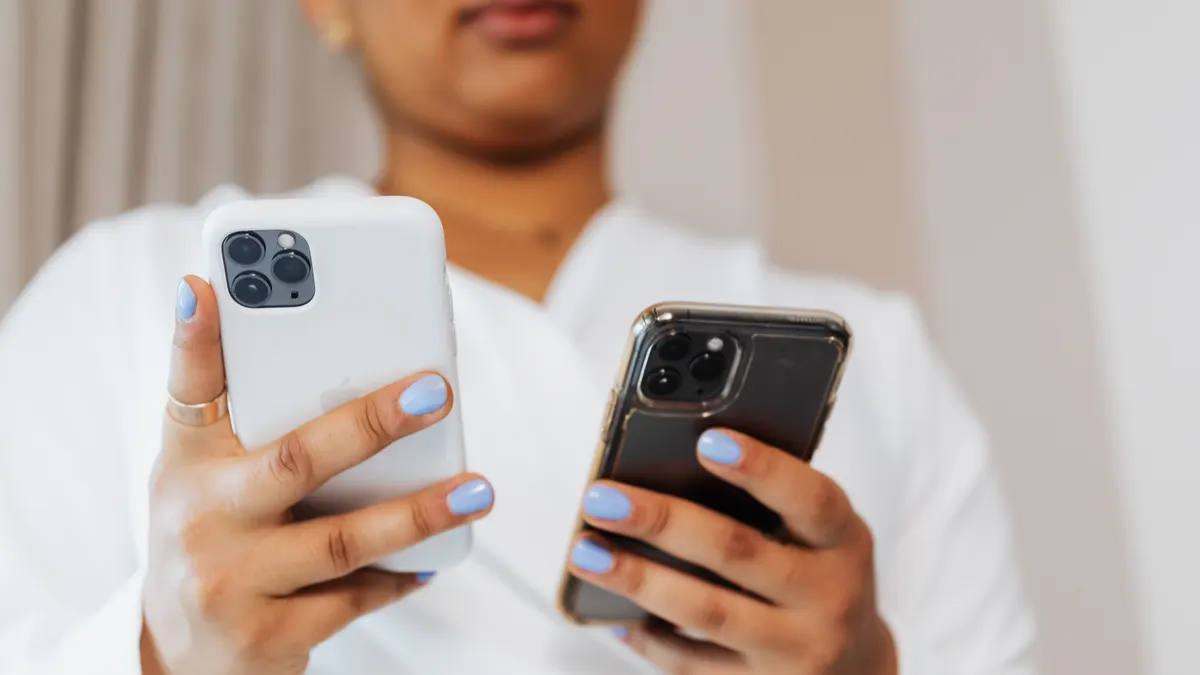
- #1 Best Overall: A mid-size phone around the 6.1-inch class, because it usually balances readability and easier handling better than bigger models.
- #2 Best Budget Pick: A smaller-screen phone if you want easier pocket carry and simpler one-handed use without paying for a huge panel.
- #3 Best Heavy-Duty / Upgrade Pick: A larger-screen phone in the 6.7-inch class if media, split-screen work, and typing comfort matter more than compact feel.
| Product / Option | Best For | Core Spec | Standout Feature | Action |
|---|---|---|---|---|
| 6.1-inch class phone | Many buyers who want a balanced feel | About 6.1-inch screen size | Usually easier to hold than larger phones | Compare this if you want the safest middle ground |
| 6.7-inch class phone | Video, games, and larger text | About 6.7-inch screen size | More room for content and typing | Compare this if screen comfort matters more than pocket size |
| Compact phone | One-handed use and tight pockets | Smaller screen size | Usually less hand strain for smaller hands | Compare this if you hate stretching for controls |
I write about phone specs and variant selection for a living, and screen size is the spec that most often gets misunderstood by buyers.
The number on the box is only the start.
The real difference between a 6.1-inch phone and a 6.7-inch phone
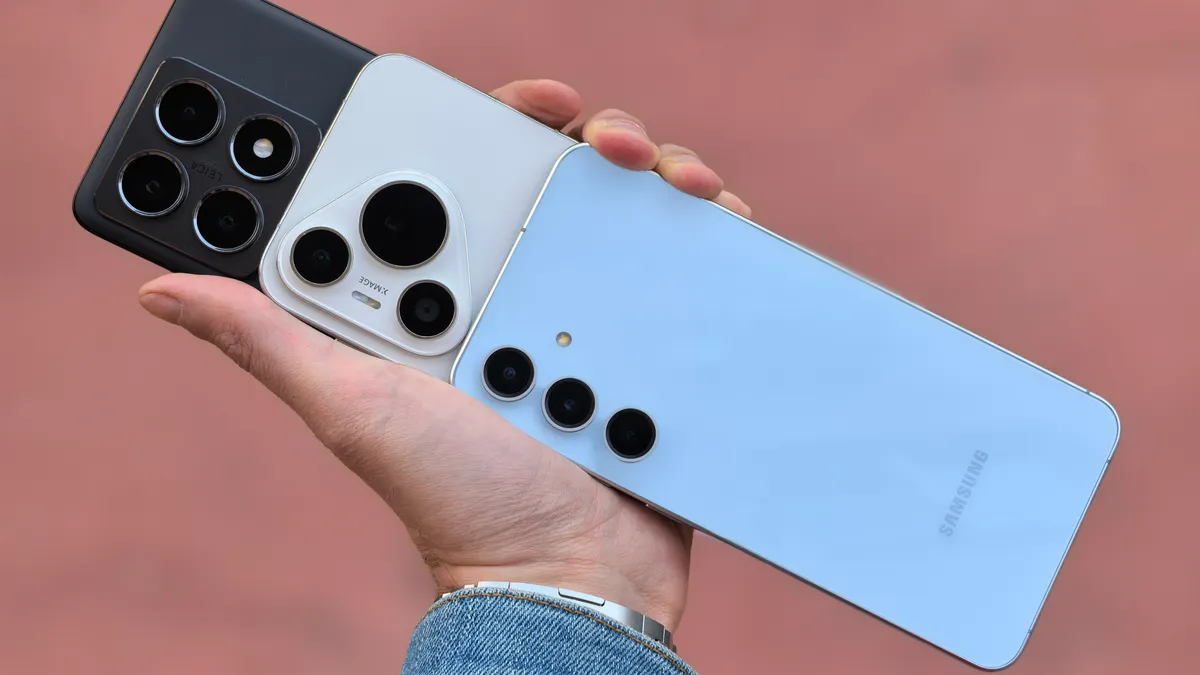
A 6.7-inch phone gives you more screen, but it also usually means more reach, more thumb travel, and more risk of awkward pocket carry. Picture this: you’re holding two phones side by side, and the bigger one looks like a win until you try to tap the top corner with one hand. That’s the whole problem in one scene.
The first thing to compare is display dimensions, not just the advertised diagonal. A phone with a taller aspect ratio can feel narrower in the hand than another phone with the same diagonal. So the same 6.7-inch number can hide a very different shape.
Here’s the catch: screen size and hand feel are linked, but not identical. A phone’s side rails, weight, and the width of the body shape how it feels far more than a single diagonal figure does. The FTC’s guidance on online shopping also favors checking the full product details before you buy, not just one headline spec.
- Check the diagonal screen size.
- Check the phone’s body width.
- Check whether the display is tall and narrow or short and wide.
- Check the weight if the listing gives it.
- Look at the chin and top bezel, because those can change usable area.
A smaller screen usually wins for easier reach. A larger screen usually wins for video, reading, and split-screen use. Neither is “better” on its own.
How do I compare phone screen sizes?
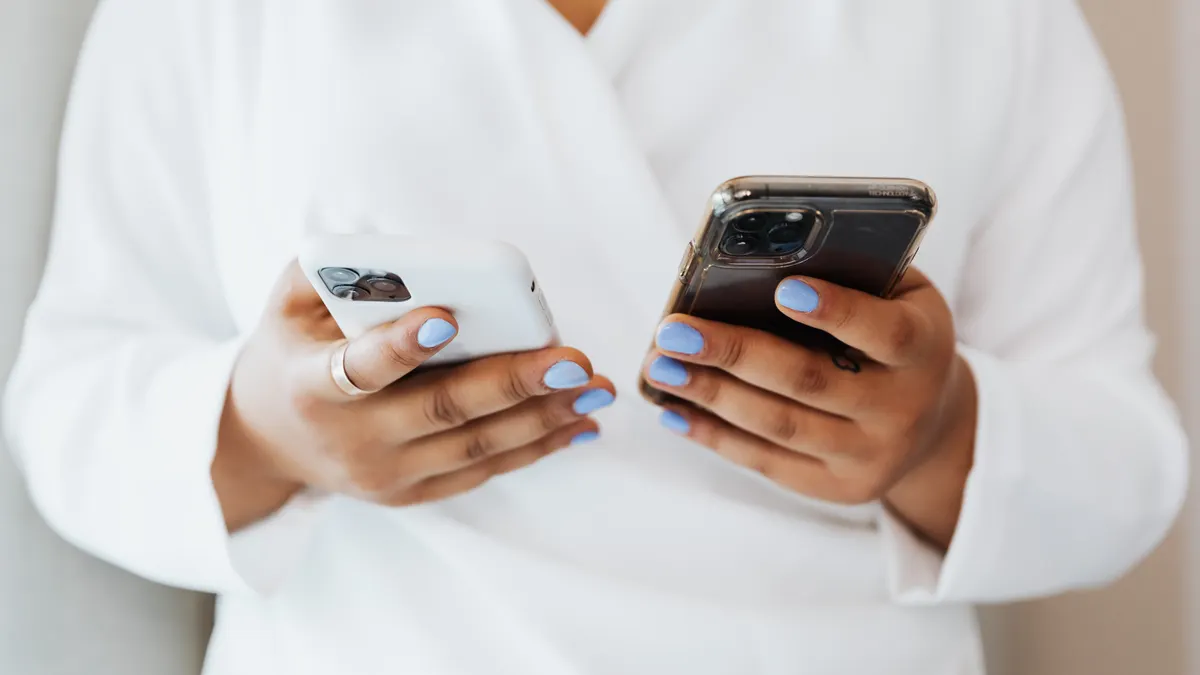
You compare phone screen sizes by checking the diagonal measurement, then pairing it with resolution, refresh rate, and the phone’s actual body size. Picture this: you’re reading a spec page and every model claims a “big screen,” but one has a sharper panel, one has a smoother refresh rate, and one is still easier to hold. That’s why the diagonal alone is not enough.
The truth is, screen size, display resolution, and refresh rate solve different problems. Screen size changes how much you can see. Resolution changes how sharp text and images look. Refresh rate changes how smooth scrolling and motion feel. Apple’s display guidance also makes the same basic point: size, pixels, and refresh do not do the same job.
Use this order:
- Compare diagonal screen size first.
- Check the body width and overall size.
- Check resolution for sharpness.
- Check refresh rate for motion smoothness.
- Check whether the software offers comfortable scaling for text and icons.
A larger screen with weak resolution can still look soft. A smaller phone with a high refresh rate can still feel quick and pleasant. And a big screen won’t help if the phone is too wide for your thumb to reach the back gesture.
For a broader buying framework, the hub on mobile phone specs and variant selection is the right place to compare screen size against the rest of the phone, and the page on phone display resolution explained can help you judge sharpness.
Which screen size is easiest to use with one hand?
Smaller screen sizes are usually easiest for one-handed use, especially when the phone body stays narrow. Picture this: you’re on a train, holding a bag in one hand, and trying to answer a message with the other. A compact phone lets your thumb do the work; a large one often forces a grip change.
The main reason is simple: reach. As the screen gets taller and wider, the far corners move out of comfortable thumb range. A 6.1-inch phone is often the practical middle point for many people. Bigger than that, and one-handed use starts to depend more on software gestures and grip discipline. Google’s Android support pages also point users toward gesture settings and one-handed options when reach becomes difficult.
That said, the screen size number alone still doesn’t tell the whole story. A tall 6.7-inch phone can sometimes feel easier than a squat phone with the same diagonal, because width is what usually makes the grip harder.
- Choose smaller if you text a lot one-handed.
- Choose smaller if you use your phone while walking.
- Choose smaller if you have smaller hands.
- Choose larger only if you accept two-handed use for many tasks.
- Check whether the maker offers one-handed mode in software.
Bigger screen or pocketable phone: which matters more?
Pocketability usually matters more than buyers expect, because a phone that annoys you every day will feel wrong long before the display size looks impressive on paper. Picture this: you sit down, the phone digs into your thigh, and you start resenting the screen you paid for. That is what a bad size choice feels like in real life.
A larger screen can make reading and streaming better, but it also tends to raise the chance of pocket bulk. A smaller phone slips into tighter jeans, jacket pockets, and smaller bags more easily. This is where hand feel becomes the deciding factor, not the spec sheet. Samsung’s phone size charts and Apple’s product dimensions both show why width and height matter, not just inches on the display.
The best part is that you can often tell the winner without a store demo if you compare body width and height, not just diagonal size. A phone that is easier to pocket is usually also easier to grip.
- Pick pocketability if you carry the phone all day.
- Pick pocketability if you sit a lot.
- Pick pocketability if you wear fitted clothes.
- Pick the larger screen if you read, edit, or watch video on the phone for long stretches.
- Do not assume a thin phone is small; height still matters.
Does display resolution change the way screen size feels?
Yes, display resolution changes how useful a screen size feels because sharpness can make a smaller panel read cleaner and a larger panel look less pixelated. Picture this: you compare two phones with almost the same screen size, but one makes small text look crisp and the other looks a little soft. That difference comes from resolution and pixel density, not just inches.
A big screen with low resolution can feel worse than a smaller screen with a better panel. Text, maps, and web pages depend on clarity. So if you like reading on your phone, resolution matters almost as much as size. Pixel density figures from manufacturers and display standards make that easy to compare at a glance.
This is where a buyer often gets tricked by marketing. A phone may boast a large display, but if the resolution does not keep up, the extra size does not feel premium. It just feels bigger.
- Bigger screen plus low resolution can blur small text.
- Smaller screen plus strong resolution can make reading feel cleaner.
- Resolution matters more if you zoom out web pages.
- Resolution matters less if you mostly watch video at default settings.
- Compare the exact panel spec, not just the diagonal.
Is refresh rate worth caring about when comparing screen sizes?
Yes, refresh rate is worth caring about because it changes how smooth a screen feels, especially on larger displays where scrolling and motion are easier to notice. Picture this: you scroll a feed on two phones of similar size, and one feels sticky while the other glides. That can matter more than half an inch of screen difference.
A higher refresh rate can make a larger phone feel more responsive, but it does not fix poor hand feel. That is the trap. Smooth motion is nice; it does not make a wide phone easier to hold. If you are unsure what matters most for your use, it is reasonable to check a trusted retail guide or ask a salesperson before you buy.
The buying mistake here is treating refresh rate as a separate luxury item. It is part of the screen experience, and it should be weighed against size. A smaller phone with a smoother panel can feel better than a larger one with a basic panel, depending on how you use it.
- Choose a higher refresh rate if you scroll a lot.
- Choose a higher refresh rate if you game on the phone.
- Do not let refresh rate hide a size you won’t like in the hand.
- Bigger screens make smoothness easier to notice.
- Basic refresh rates are still fine for simple calls and messaging.
The honest side-by-side
A 6.1-inch phone wins for many people who care about easy reach and easier carry; a 6.7-inch phone wins for buyers who want a larger canvas for reading, streaming, and typing. Picture this: you’re torn between comfort and content space. That is the actual choice, stripped of marketing.
| Criteria | 6.1-inch class | 6.7-inch class | Winner for [condition] |
|---|---|---|---|
| One-handed reach | Easier for most hands | Harder at the top edge | 6.1-inch for one-handed use |
| Pocketability | Usually better | Usually bulkier | 6.1-inch for daily carry |
| Video viewing | Fine, but smaller | Better for movies and shows | 6.7-inch for media |
| Typing comfort | Good for short messages | Better for long typing sessions | 6.7-inch for typing |
| Reading web pages | Comfortable | More room for content | 6.7-inch for reading |
| Hand fatigue | Lower over time | Higher if used a lot one-handed | 6.1-inch for long carrying days |
| Resolution impact | Can still be sharp | Needs good resolution to stay crisp | Depends on panel spec |
| Refresh rate benefit | Feels smooth either way | More noticeable on larger motion | Depends on use case |
| Pocket fit | Easier in tight pockets | More likely to poke or print | 6.1-inch for pocket fit |
Exception scenarios: when the verdict flips
The verdict flips when your real use case beats the usual rules. Picture this: you think you need the smallest phone, then you start watching long videos every night. Or you think you want the biggest screen, then you hate the bulk on day three. Those are the exceptions that matter.
- You read constantly on your phone. A larger screen can beat easier handling if your main job is reading articles, documents, or captions.
- You have very small hands. A mid-size phone may still feel too wide, so a smaller option can be the only comfortable fit.
- You already rely on two-handed use. If you rarely use one hand, the larger screen’s downsides shrink.
- You carry the phone in tight pockets. Pocket fit can override every other spec.
The smartest move is to treat screen size as a usability choice, not a status signal. If you have wrist pain, reduced grip strength, or another comfort issue, it is sensible to consult a medical or occupational professional before choosing a size.
Which screen size should you choose?
Choose 6.1-inch class if you want a practical balance of hand feel, pocketability, and everyday reach. Choose 6.7-inch class if you care more about reading, streaming, and typing space than compact carry. Neither if you know one-handed use is non-negotiable and the phone body is already too wide.
That is the clean call. No extra spin.
A smaller screen is the better default for many buyers because it causes fewer daily annoyances. A larger screen is the better specialist choice for people who spend a lot of time looking at the phone rather than carrying it. Screen size is only one part of the decision, but it is the part you feel every time you pick the phone up. If you want a quick rule, think 6.1 inches for easier carry and 6.7 inches for more viewing space.
What should I check before I compare two phone screens?
You should check the diagonal size, the phone’s body width, the resolution, and the refresh rate before you compare two phone screens. Picture this: you have two listings open, both call themselves “large,” and one is only better because it hides behind a sharper panel or a smoother display. That is why the raw size number is not enough.
Use this short checklist:
- Screen size in inches
- Body width and height
- Resolution
- Refresh rate
- Whether one-handed use matters to you
- Whether pocket fit matters more than display space
If those points are clear, the choice becomes much easier. And if they are not clear, the bigger number on the listing is probably the wrong way to shop. For a deeper comparison, the guide on mobile phone specs and variant selection and the explainer on phone display resolution explained can help you check the rest of the spec sheet.
What screen size is best for one-handed use?
A smaller screen is usually best for one-handed use, and a 6.1-inch phone is a common middle point for people who want reach without going fully compact. The real limit is not just the diagonal; body width matters a lot too. If the phone is narrow enough, your thumb can reach more of the screen without shifting your grip.
Does a bigger screen mean a bigger phone?
A bigger screen usually means a bigger phone, but not always in the same way. A tall, narrow phone can carry a large diagonal without feeling as wide as another device with the same screen size. The body width, height, and bezel size decide how big it feels in the hand and pocket.
Drafted with AI; not yet reviewed by a person.